Three Worked Examples
The same intake, three ways. Each example starts from a new project and ends with dated work on Project Home. The screenshots come from a test organization; your plays, names and dates will differ.
| Example | Playbook | Starts from | |
|---|---|---|---|
| 1 | Northbank foreshore upgrade | None (CE Canvas practice) | A new project |
| 2 | Harbour Street parking and access changes | Engagement Essentials | A new project |
| 3 | Riverside Park master plan | Your own, with a two-phase play | A request through the intake form |
No playbook
Northbank foreshore upgrade is a concept design going to Council. The organization has not adopted a playbook, so the project runs on CE Canvas practice.
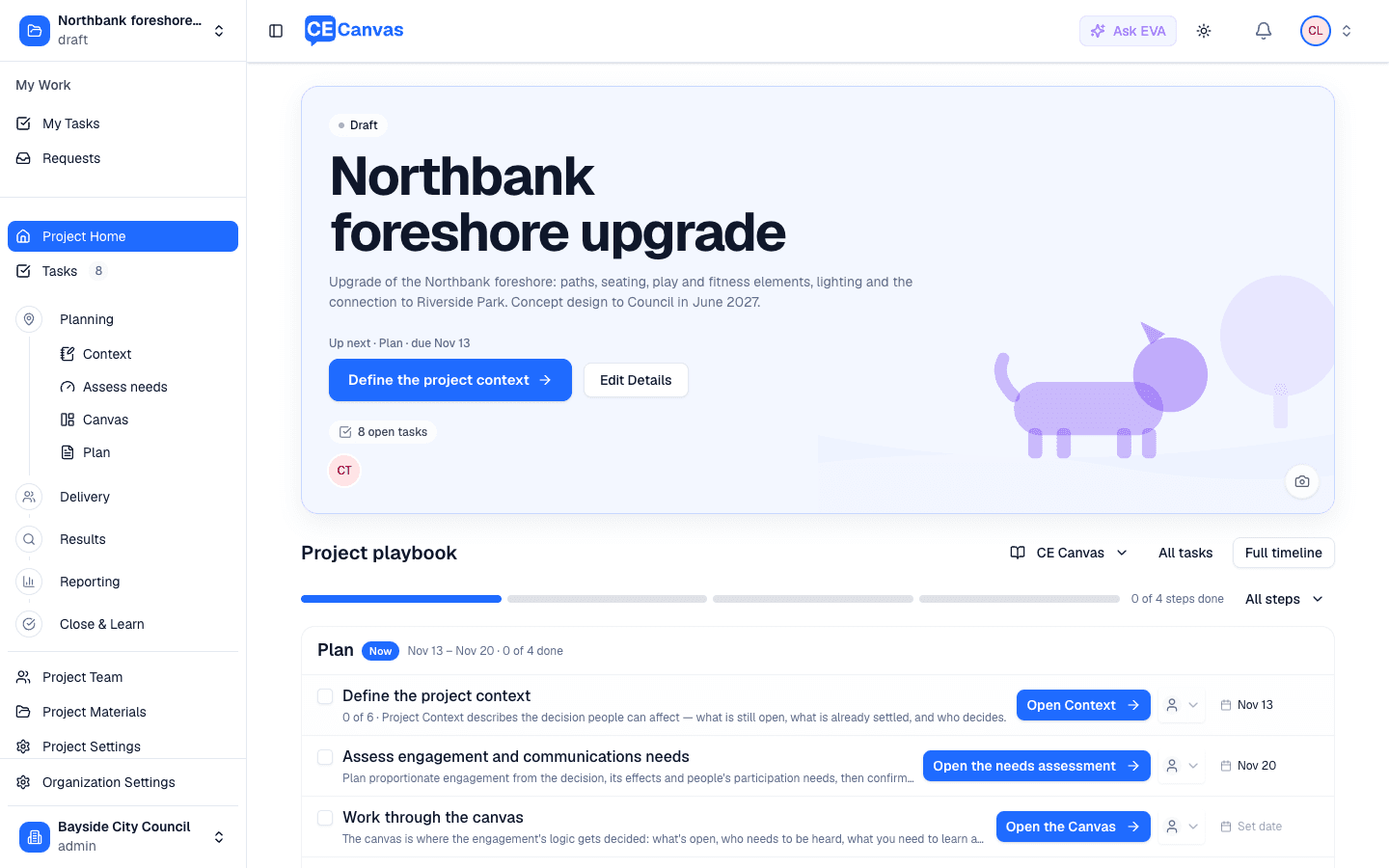
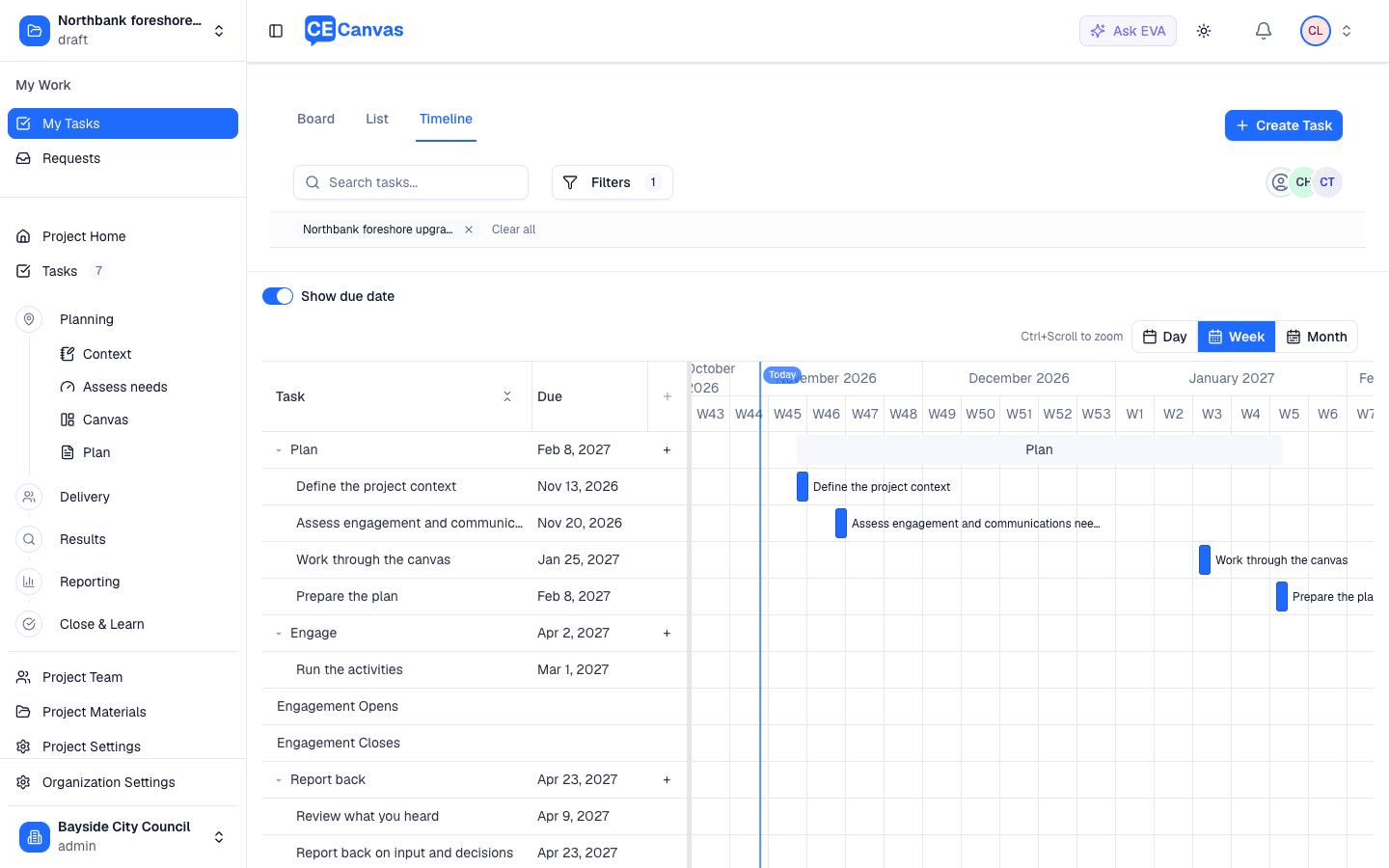
1. Create the project. Title and description only. Project Home opens on the CE Canvas steps (Plan, Engage, Report back, Close and learn) with one task per screen. Define the project context and Assess needs are dated from today; the rest wait for the engagement window.
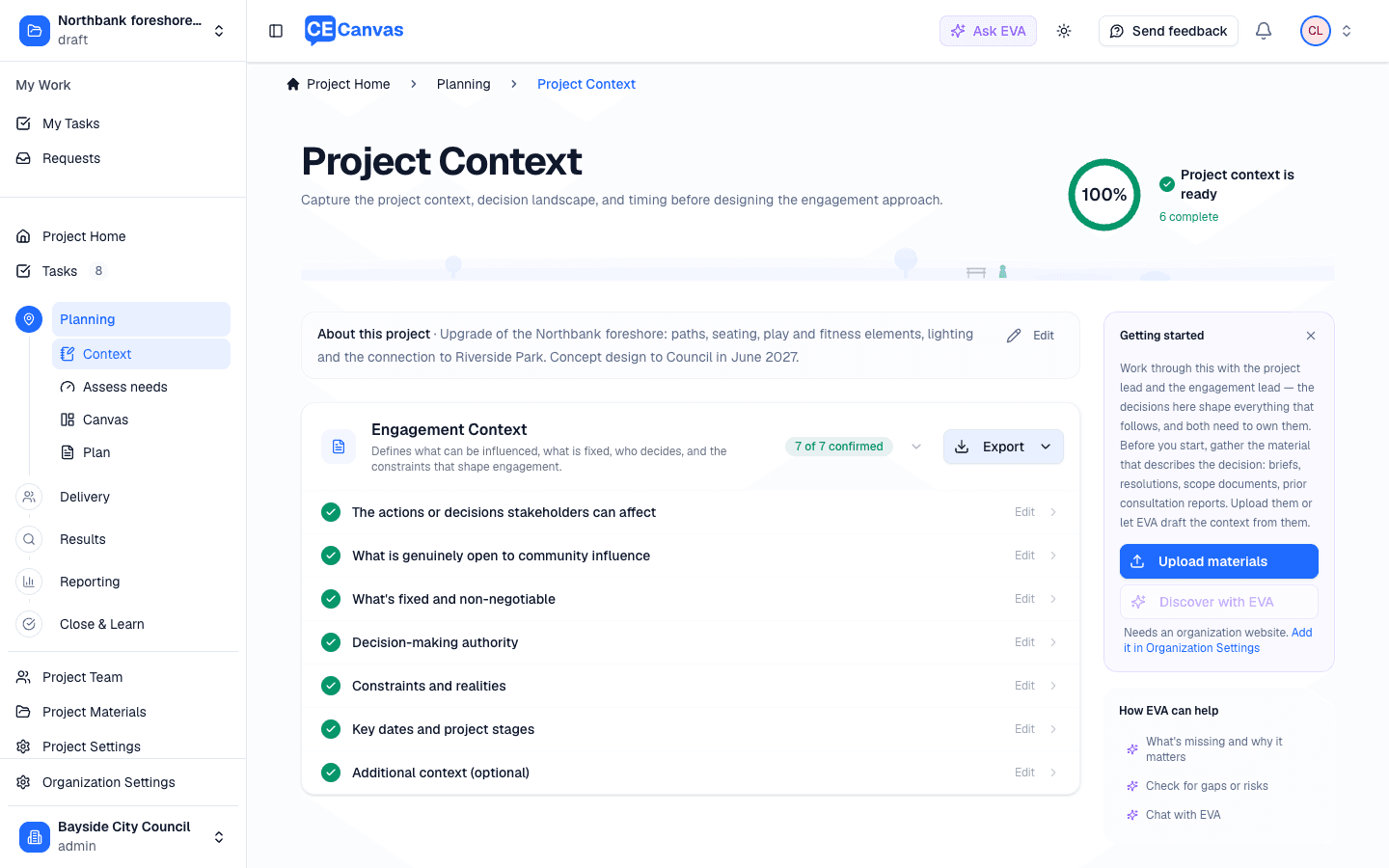
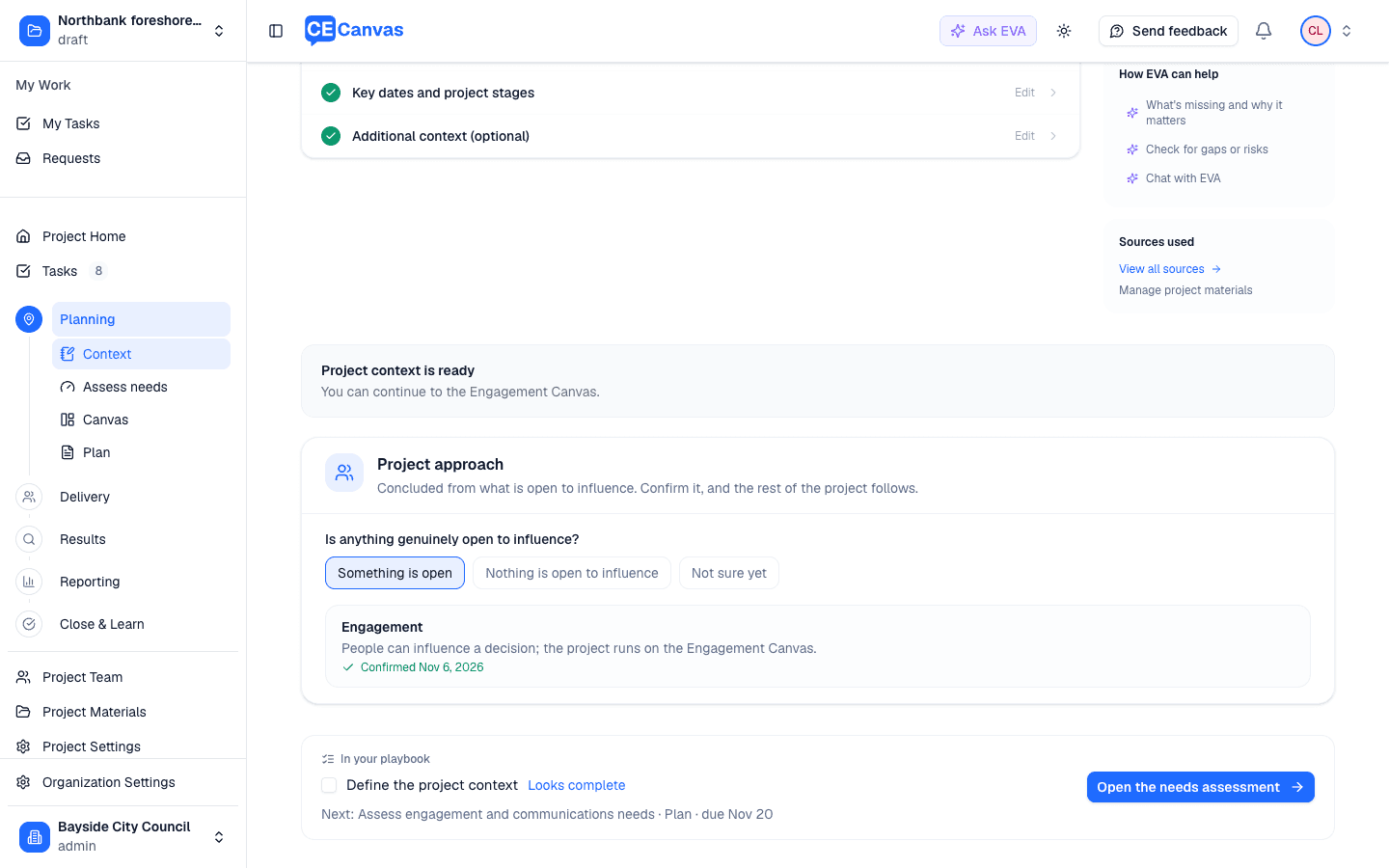
2. Write Project Context. Answer the seven questions, or confirm what EVA drafted from the description and your materials. The page ends with the Project approach: something is open to influence, so it concludes Engagement. Confirm approach.
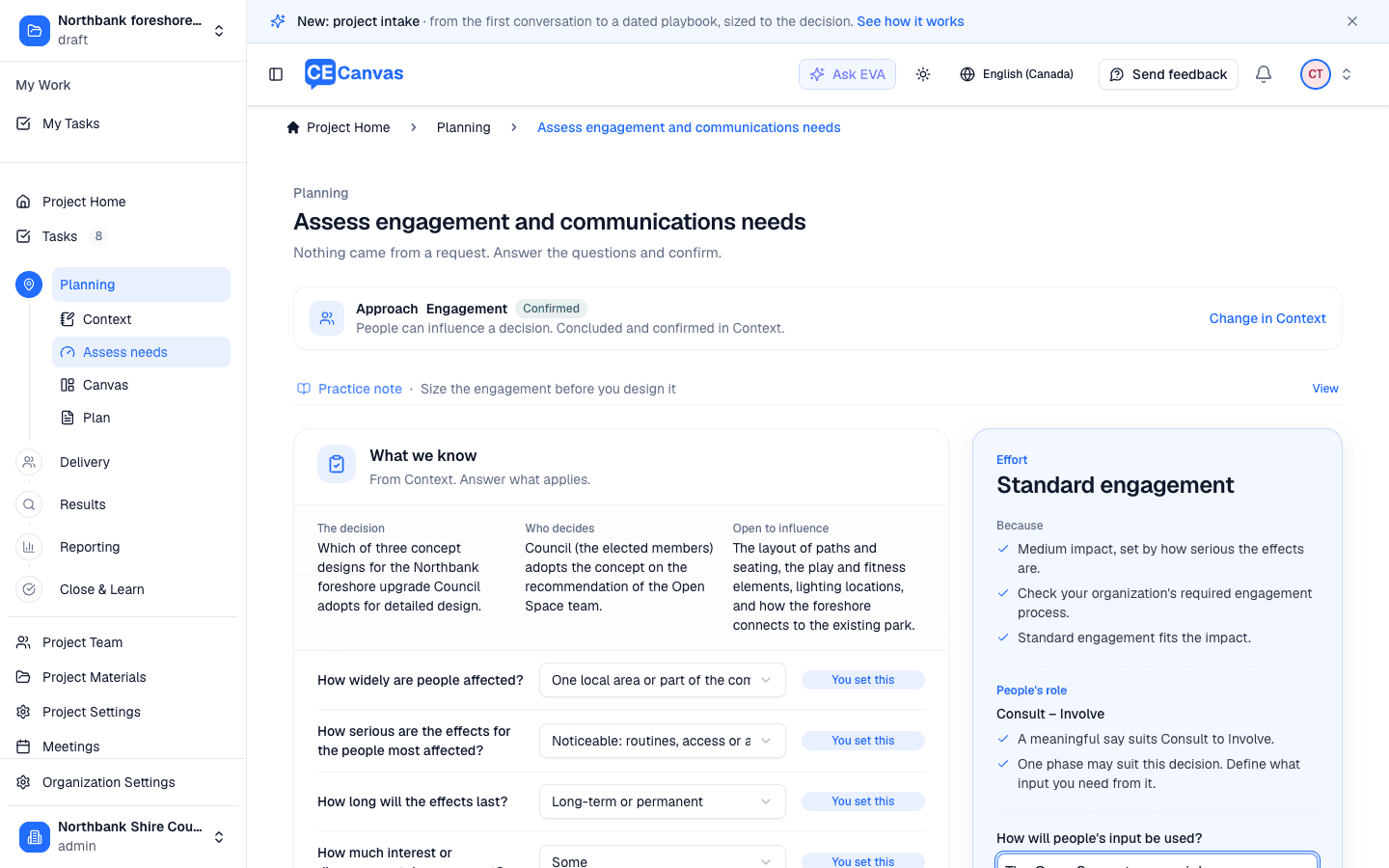
3. Assess needs. Noticeable, long-term effects on one local area, with a meaningful say on the layout, size as Standard engagement, Consult to Involve, one phase. Council policy requires engagement, so What does it require? is answered People’s participation. The four obligations are reviewed: accessibility stays open with a next step, an owner and a date (a drop-in at the seniors’ center), so it becomes a task. How will people’s input be used? says the Open Space team weighs every comment on the three concepts and reports back before Council adopts one. With no playbook there is no play to choose: Confirm intake decision closes the step and opens the Canvas.
4. Set the engagement window. On Delivery, the Engage step says No dates yet: Set dates opens the window. Every practice task timed from it takes its date at once (the canvas five weeks before, the plan three weeks before, results, the report and the close after), and moves if the window moves.
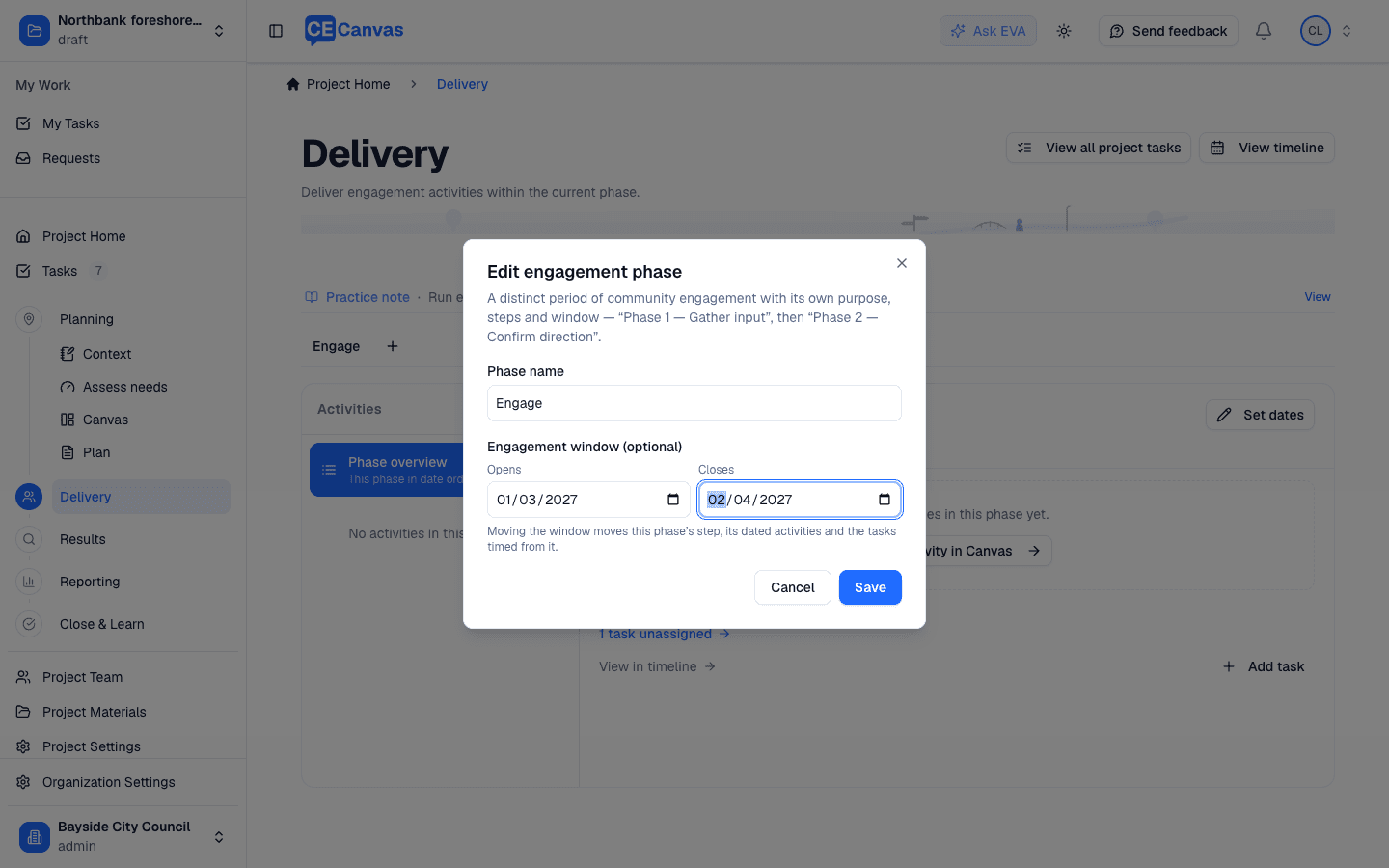
Two phases without a playbook? If Assess needs suggests two phases, add the second on Delivery with Add engagement phase (the + beside the phase tabs) and give it its own window. The tasks after engagement follow the last window.
Engagement Essentials
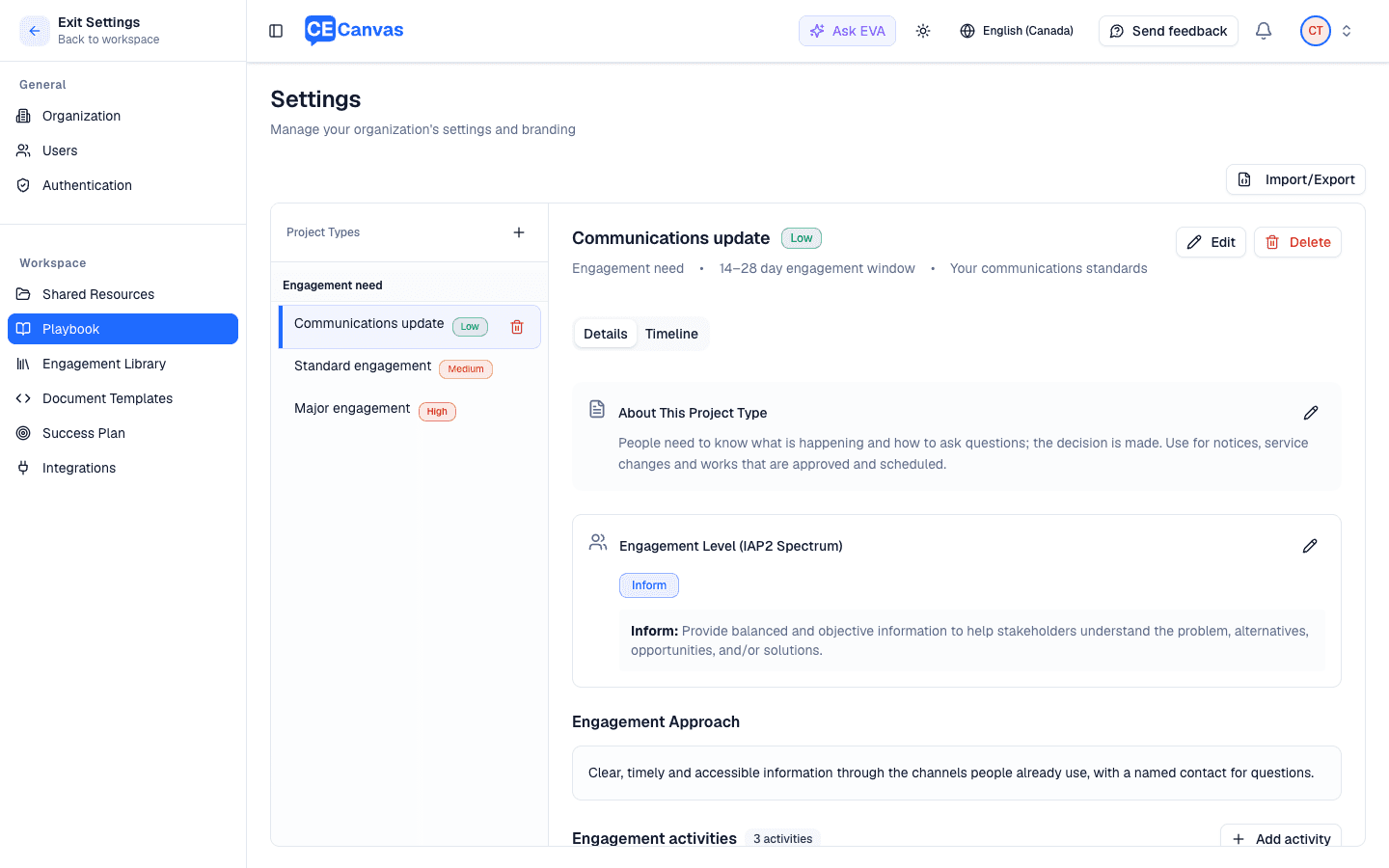
Harbour Street parking and access changes is a defined-scope project: parking, loading zones and two crossing options. The organization has adopted Engagement Essentials, the CE Canvas default, from Organization Settings → Engagement Playbook.
1–2. Create the project and write Context as above; the approach concludes Engagement.
3. Assess needs. Strong, divided interest and long-term effects, but people can influence details only: Major engagement, Consult. After the obligations are reviewed and the commitment is written, the plays that fit equally are offered: Essentials’ Policy & Service Changes and Project Delivery, and here also Standard engagement from a second playbook the organization uses. They are separated by something the sizing does not measure (a policy change or a capital project), so all are offered, each with its own Confirm intake decision. Show all other plays lists the rest with how each differs.
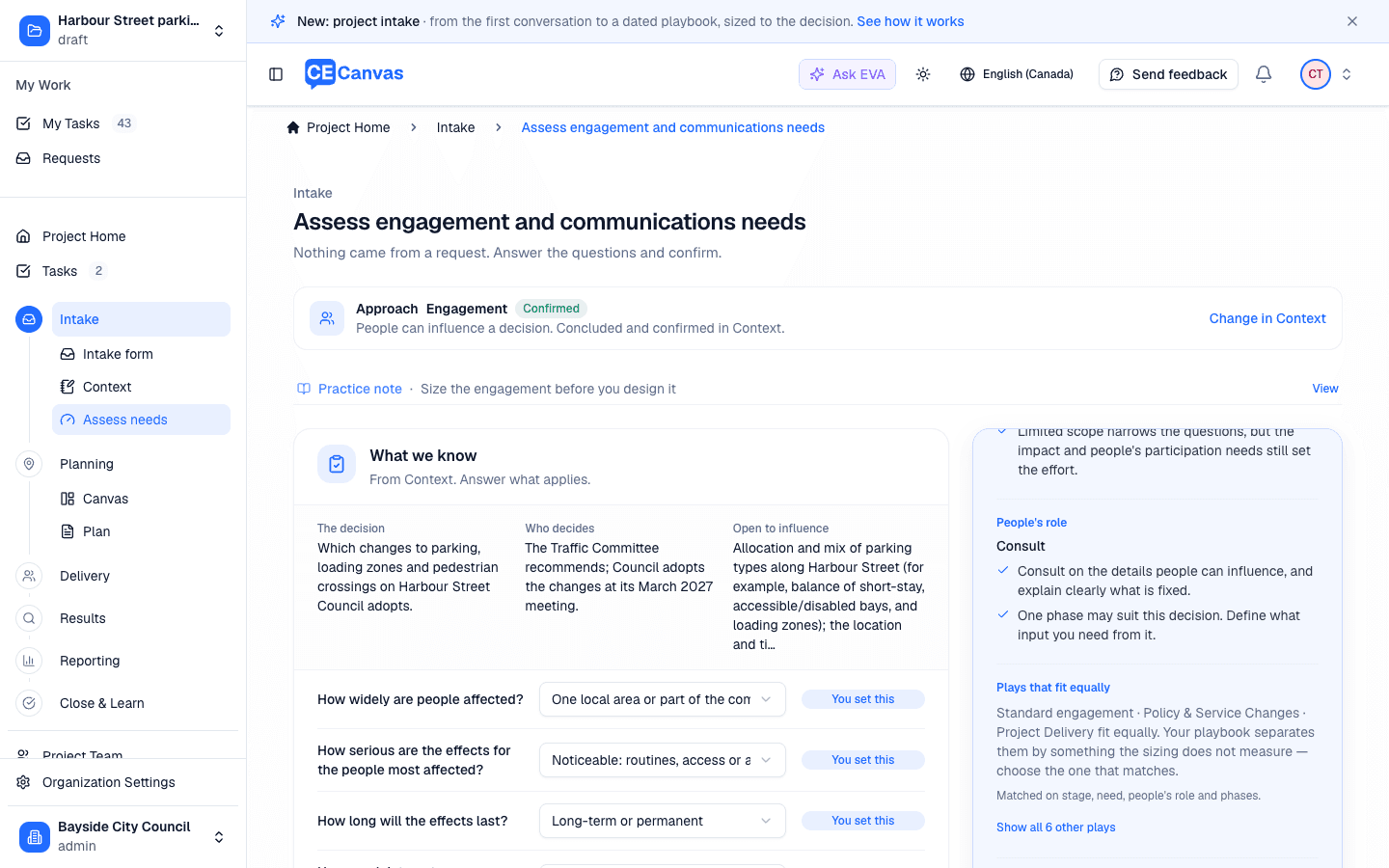
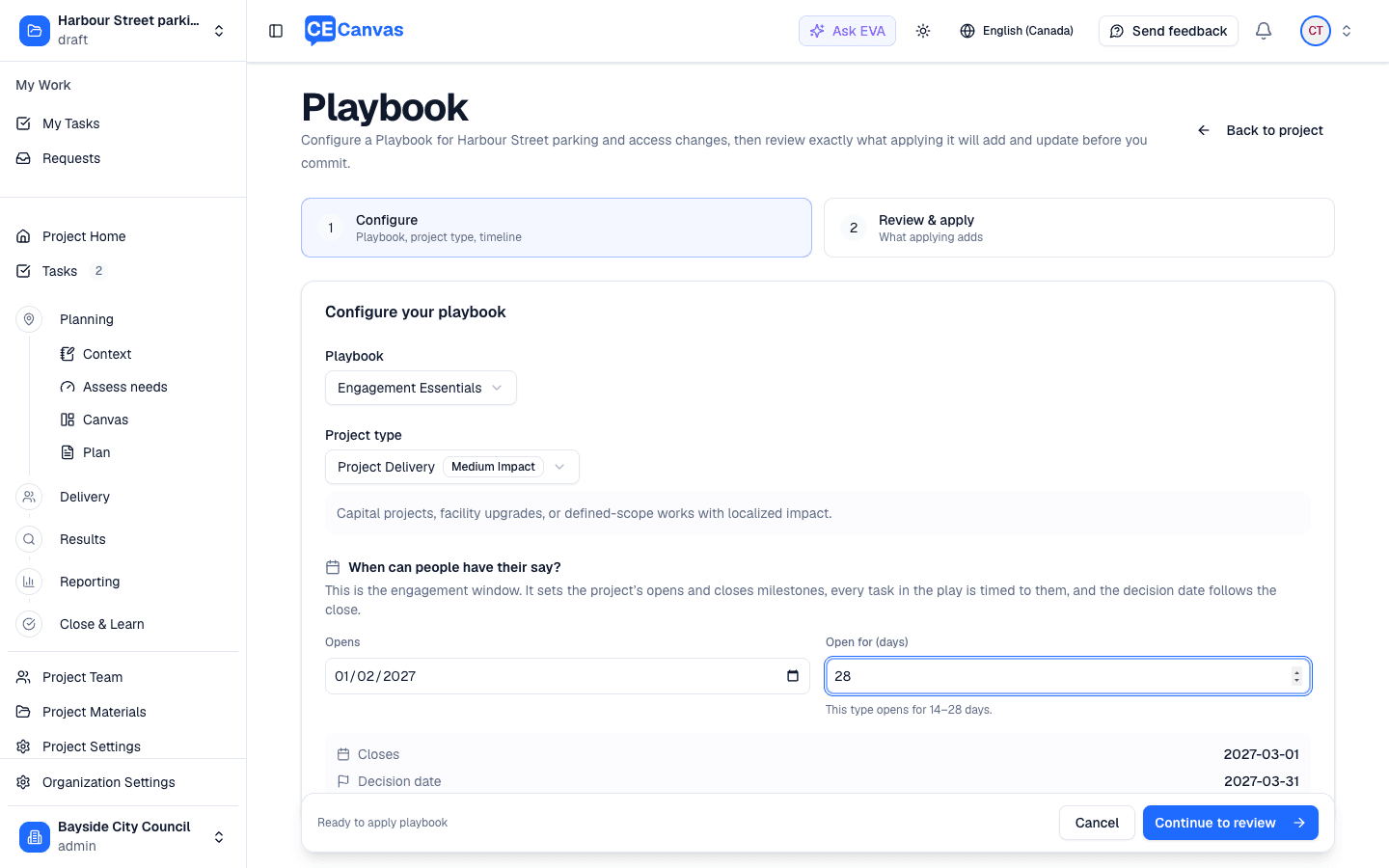
4. Confirm the decision and set the window. Confirm intake decision · Project Delivery opens playbook setup with the play selected. Setup asks one thing, when can people have their say?, and shows the close and decision dates as you type.
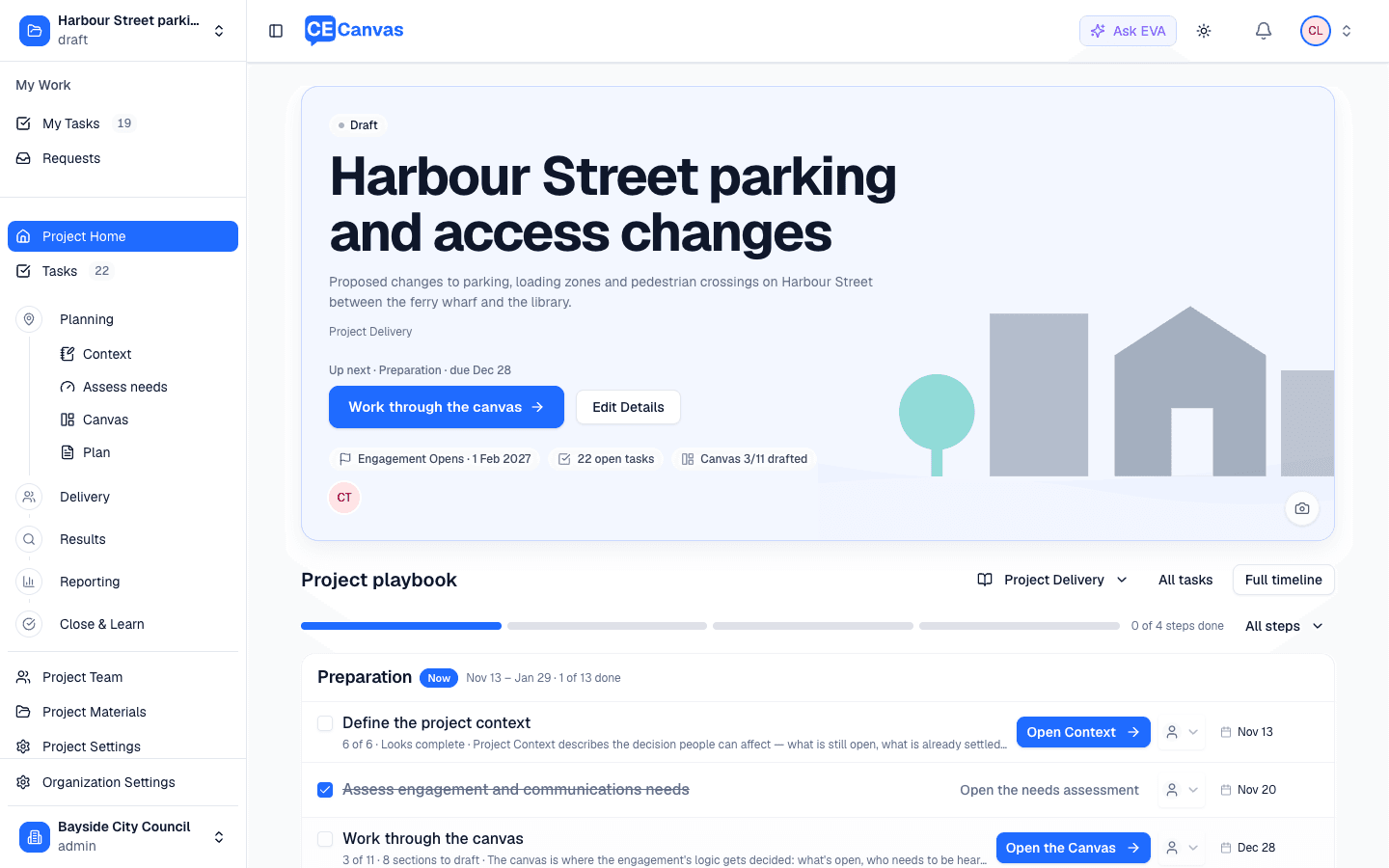
5. Review and apply. The review lists every task and activity the play adds. Apply playbook. Project Home now runs on the play’s steps; the tasks Essentials covers (the plan, the report, the evaluation) replace their practice tasks, and the assessment task is already done.
Your own playbook
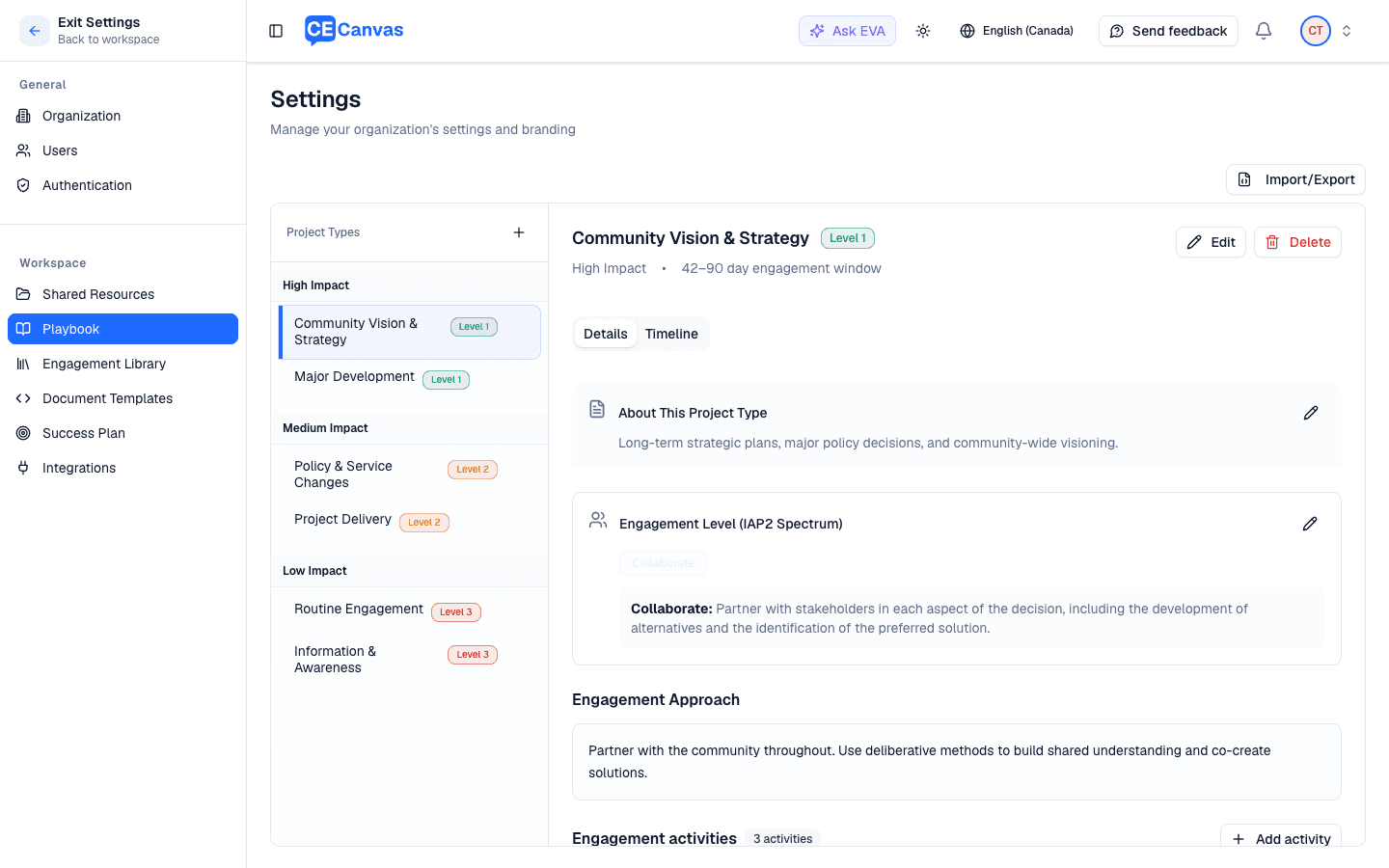
Riverside Park master plan is a 20-year plan where the community should help shape the direction before anything is drafted. The organization has imported its own playbook (sample-playbook.json) with three plays, one of them a two-phase Major engagement: Phase 1 explores options, Phase 2 tests the draft. It also has the Intake step on, with its own questions loaded from a form file (sample-intake-form.json).
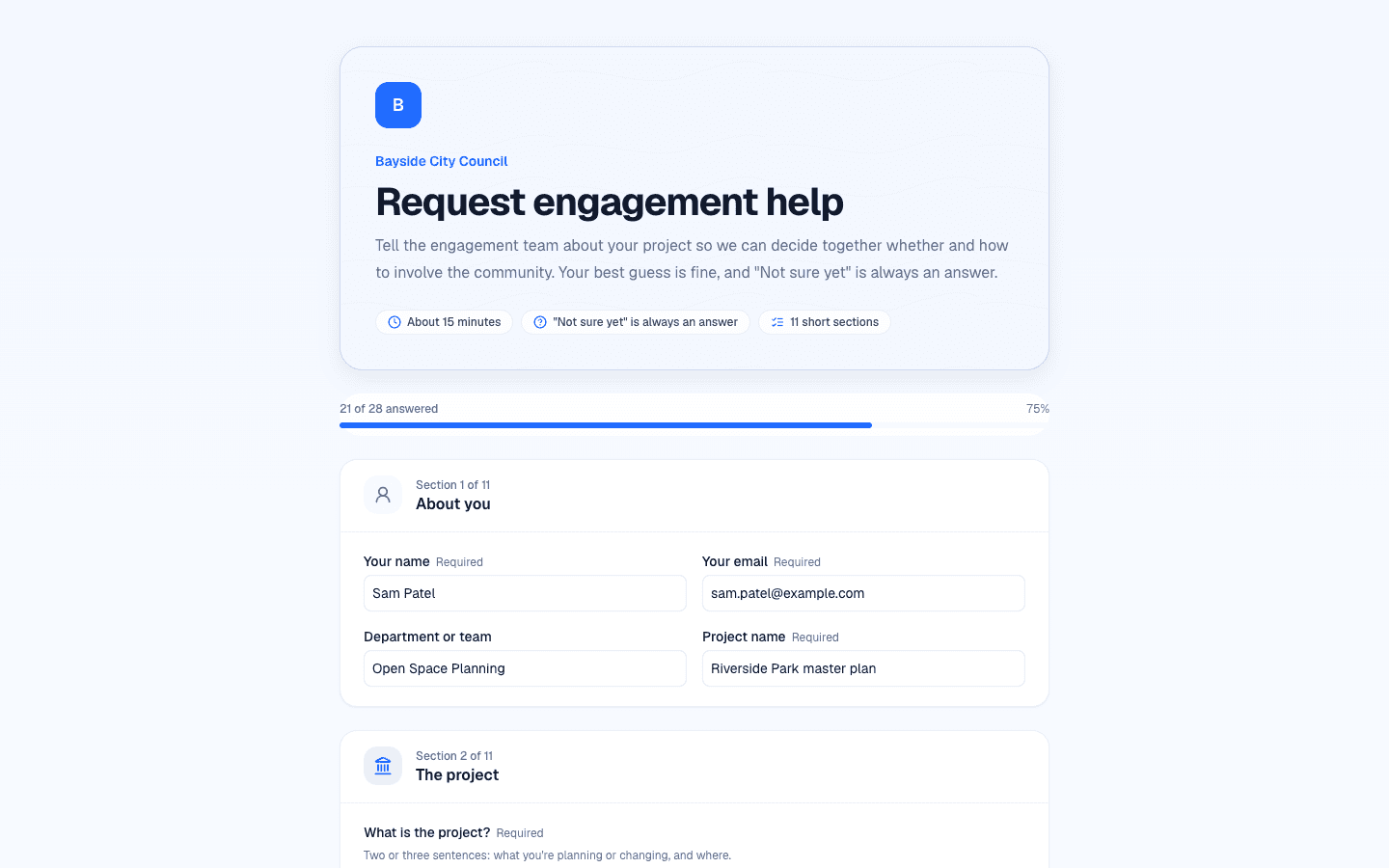
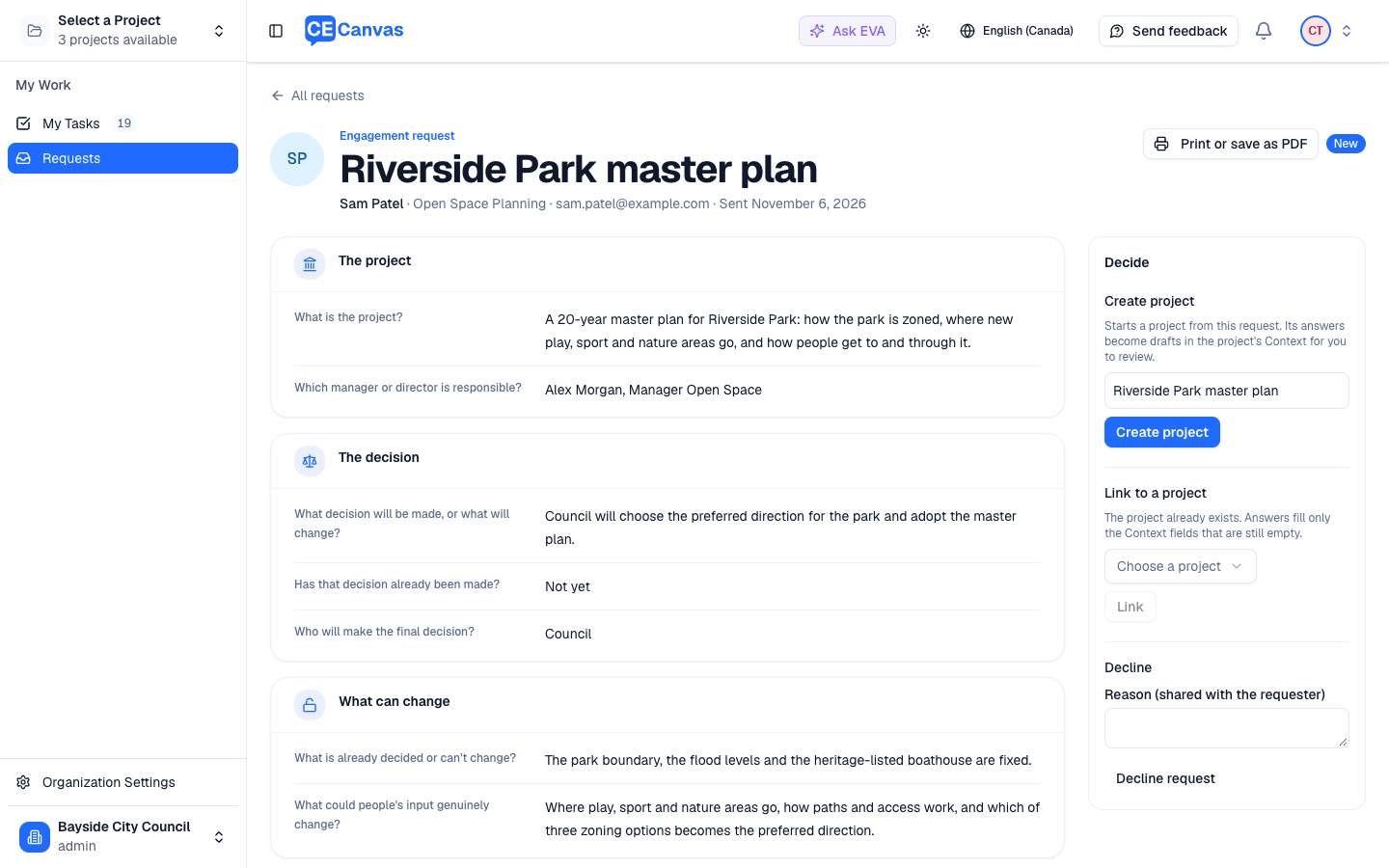
1. The request. A project officer opens the organization’s request link and fills in the form: the shared questions plus the organization’s own sections. The answer to When does the decision-maker need to decide? feeds the decision date.
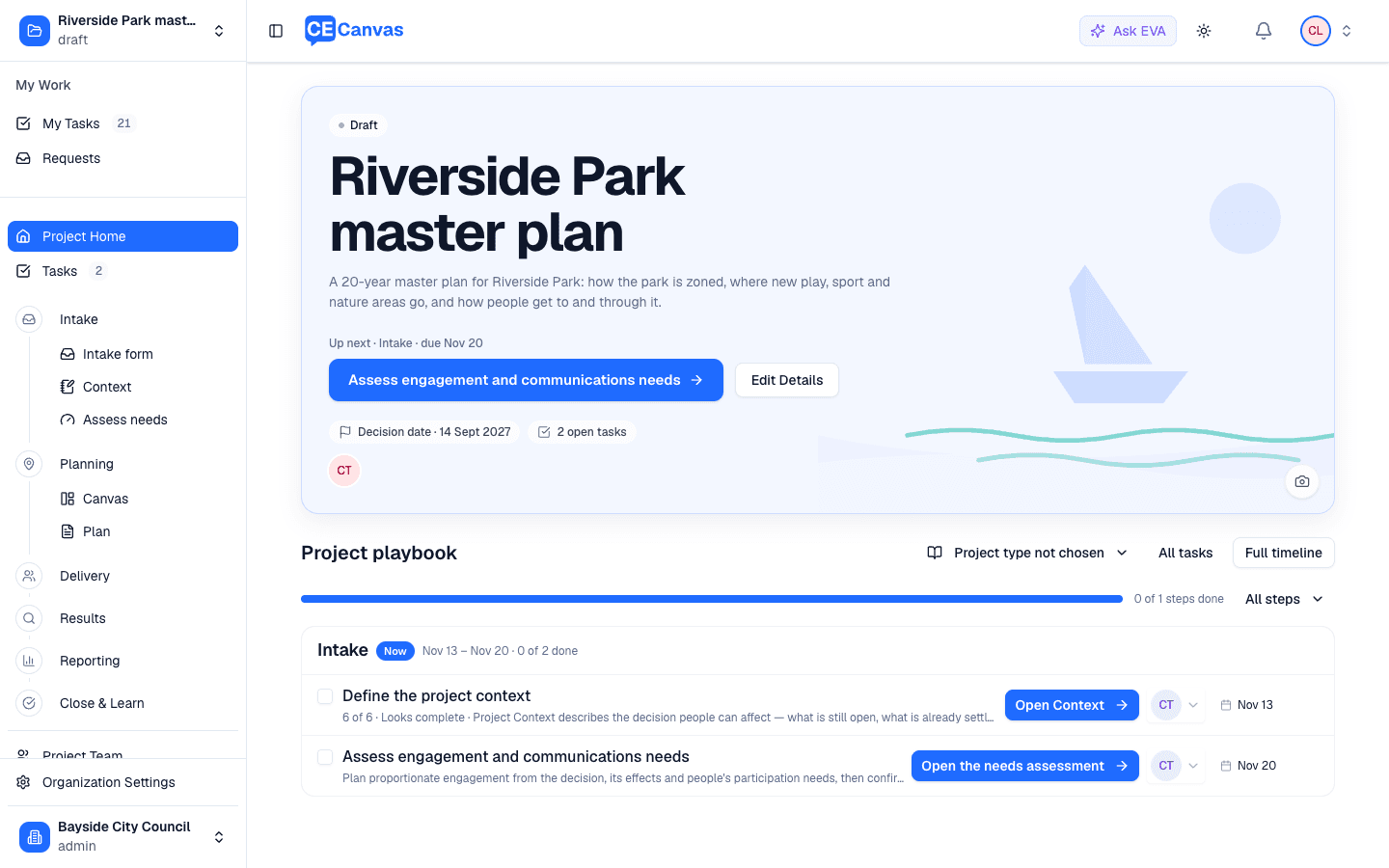
2. Triage. The request arrives in Requests. Create project makes the project, drafts Context from the answers, adds the requester to the team and records the decision date.
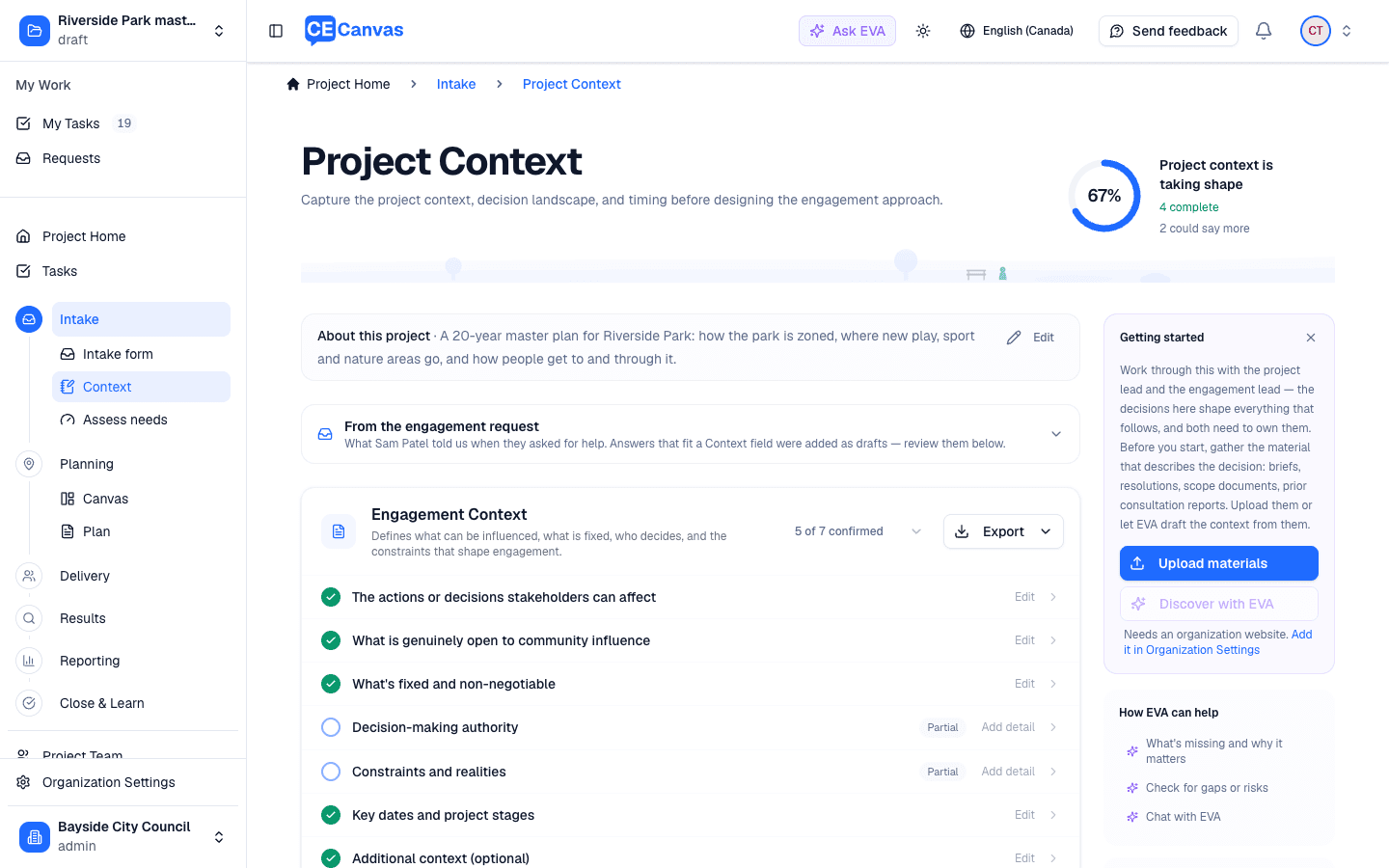
3. Context. The drafts are marked as coming from the request. Review them, confirm, and Confirm approach: people can shape the direction, so Engagement.
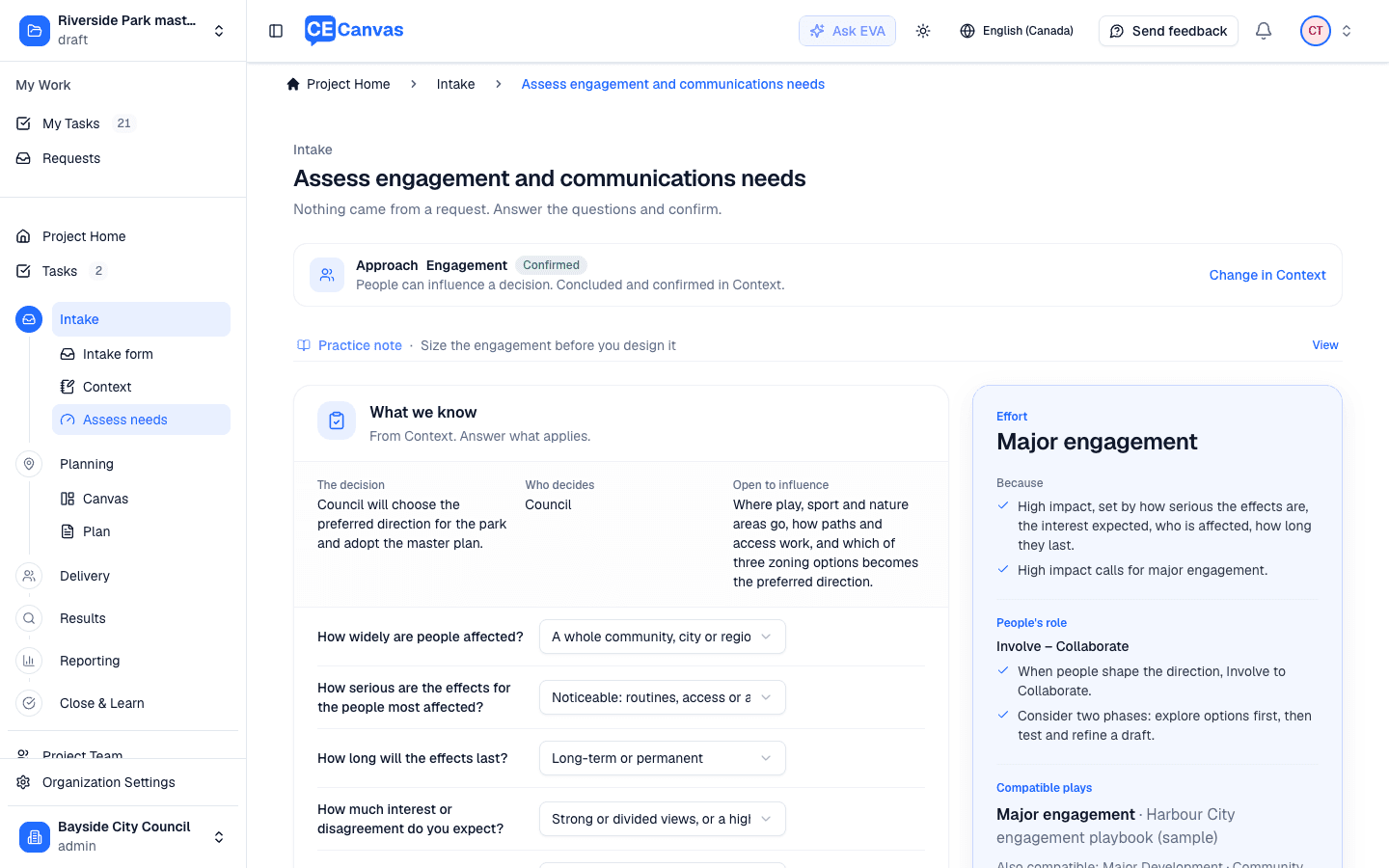
4. Assess needs. Several of the answers are already filled from the request and marked From the request. Serious, lasting effects across the community and a lot to influence: Major engagement, Involve to Collaborate, consider two phases. The organization’s two-phase Major engagement play is the compatible play.
5. Two windows. Setup asks when can people have their say in each phase?, one window per phase, and shows each close and the decision date as you type.
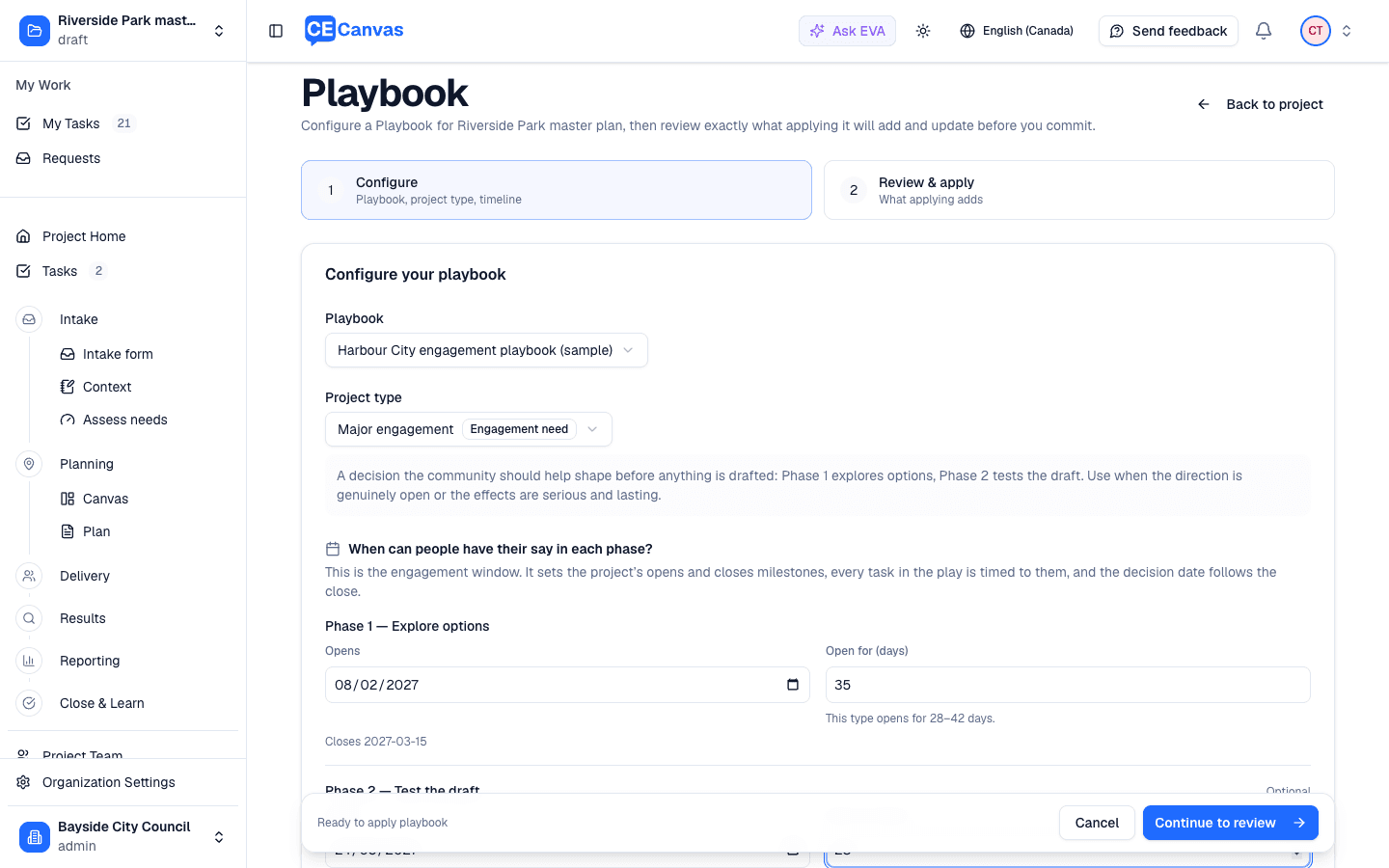
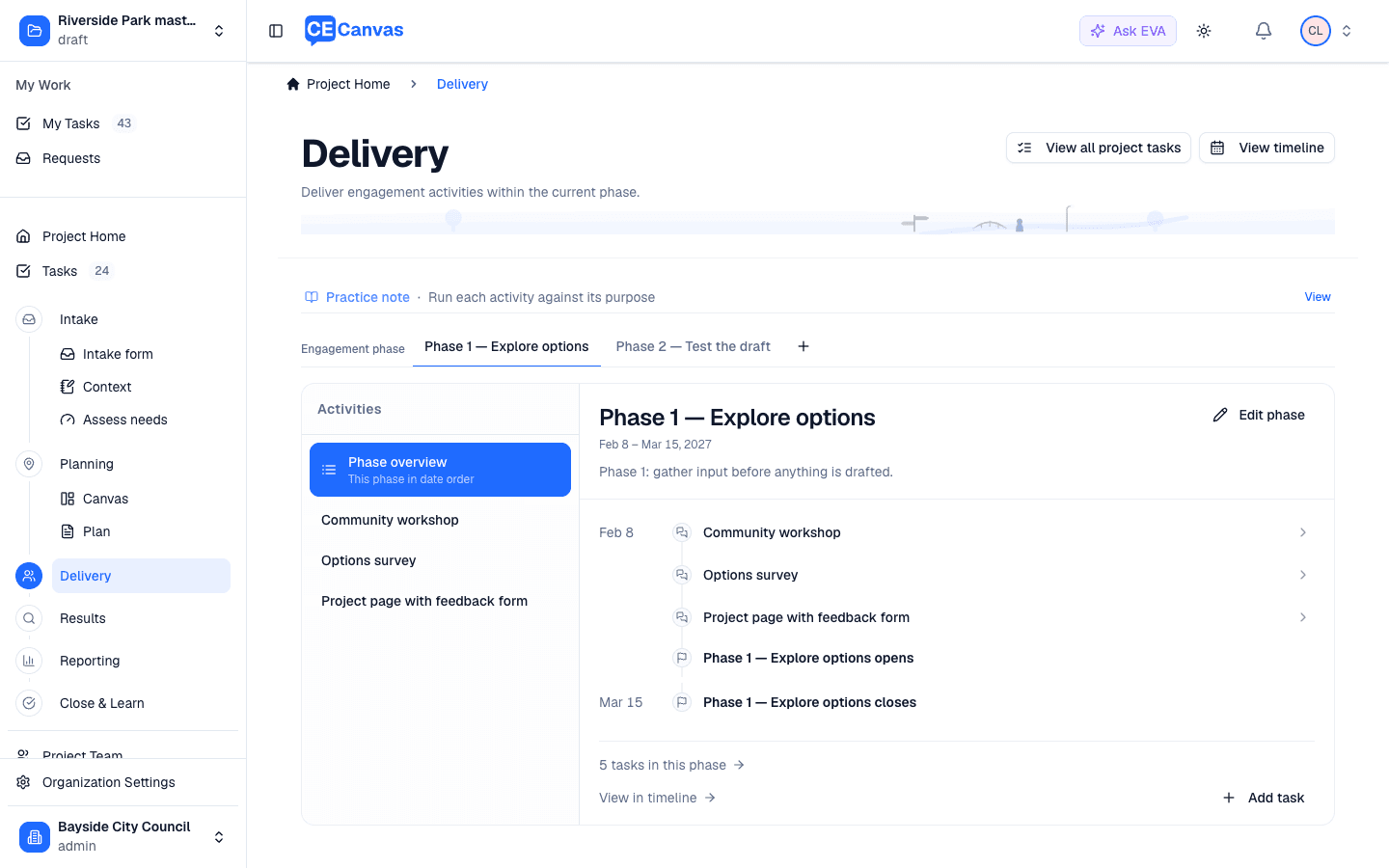
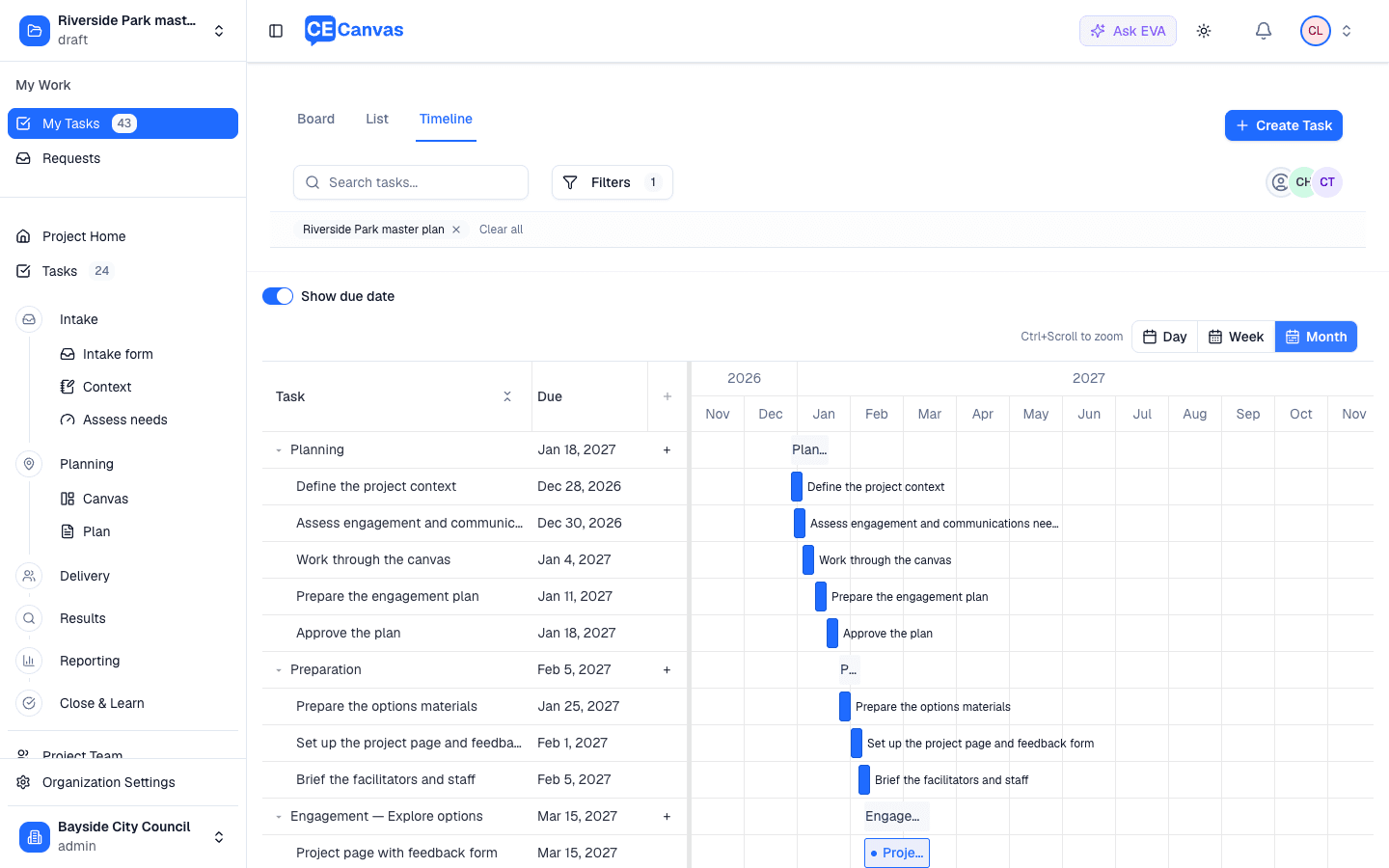
6. Apply. Delivery shows both phases as tabs, each with its own window, activities and tasks; the timeline runs Planning, Preparation, Phase 1, the interim report and direction, Phase 2, Reporting back, and Close and learn, every task dated from its own phase.
Want the Intake step?
Examples 1 and 2 work in every account today. The request form and Intake step in example 3 are enabled per organization: email support@cecanvas.com and we will turn it on, load your questions, and walk your first request through with you. To bring your own playbook, send us your framework or policy, or start from sample-playbook.json.