Getting Started
This guide walks you through the core steps to get your team up and running in CE Canvas — from logging in to creating your first engagement project. Ten minutes here saves your team the most common setup mistakes: working in projects nobody else can see, and starting engagement design before the decision space is captured.
1. Log in
Navigate to your CE Canvas URL and sign in with your email address and password — or, if your organisation uses single sign-on, with your work account.
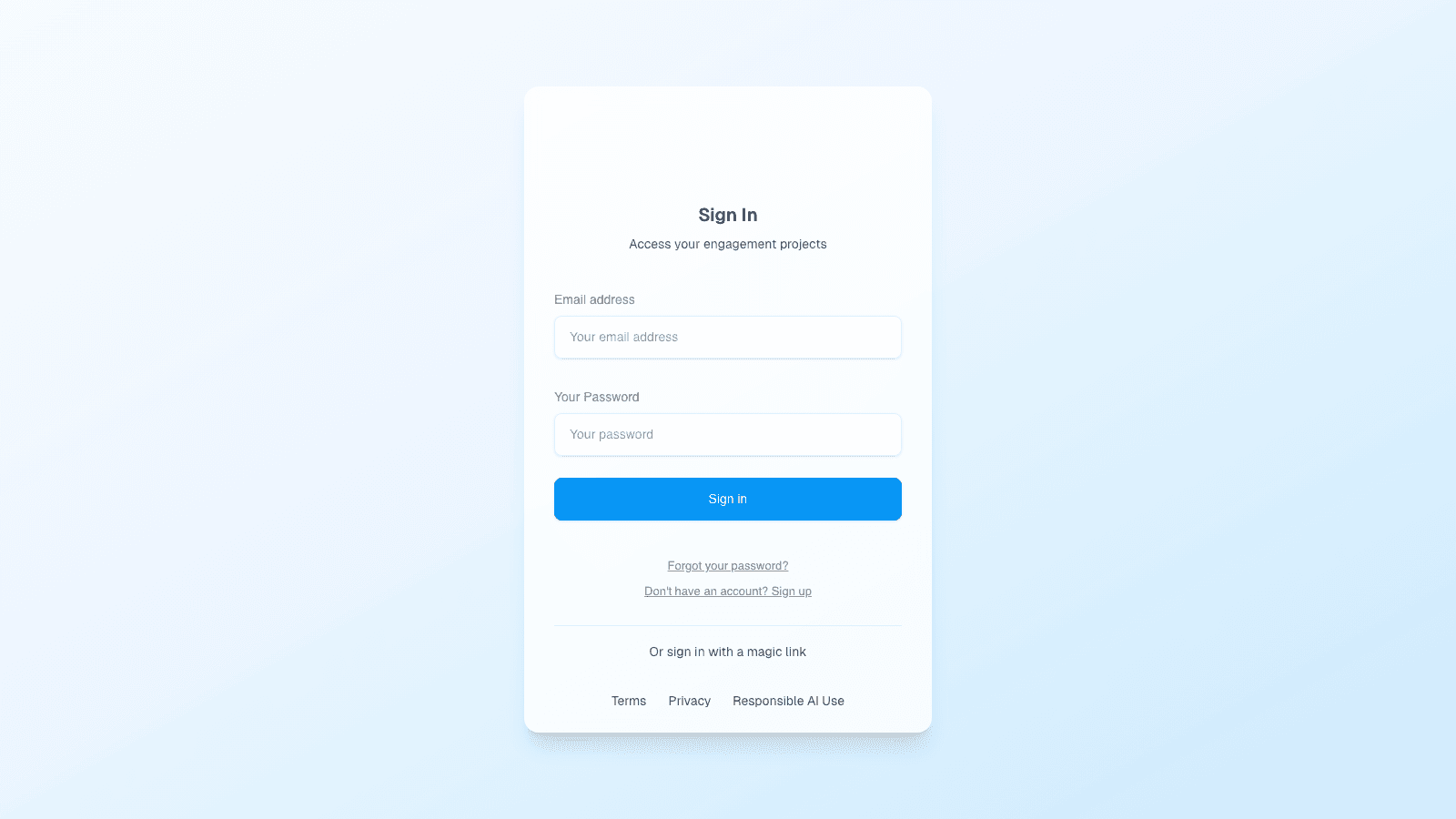
If you haven’t received an invitation yet, ask your organisation owner to invite you from Organisation Settings → Users. If your organisation uses SSO, see Single Sign-On.
2. Your dashboard
After logging in you land on My work — the calm home you use every day: your most recent project up top, your upcoming tasks, then the projects grid and upcoming milestones across the organisation.
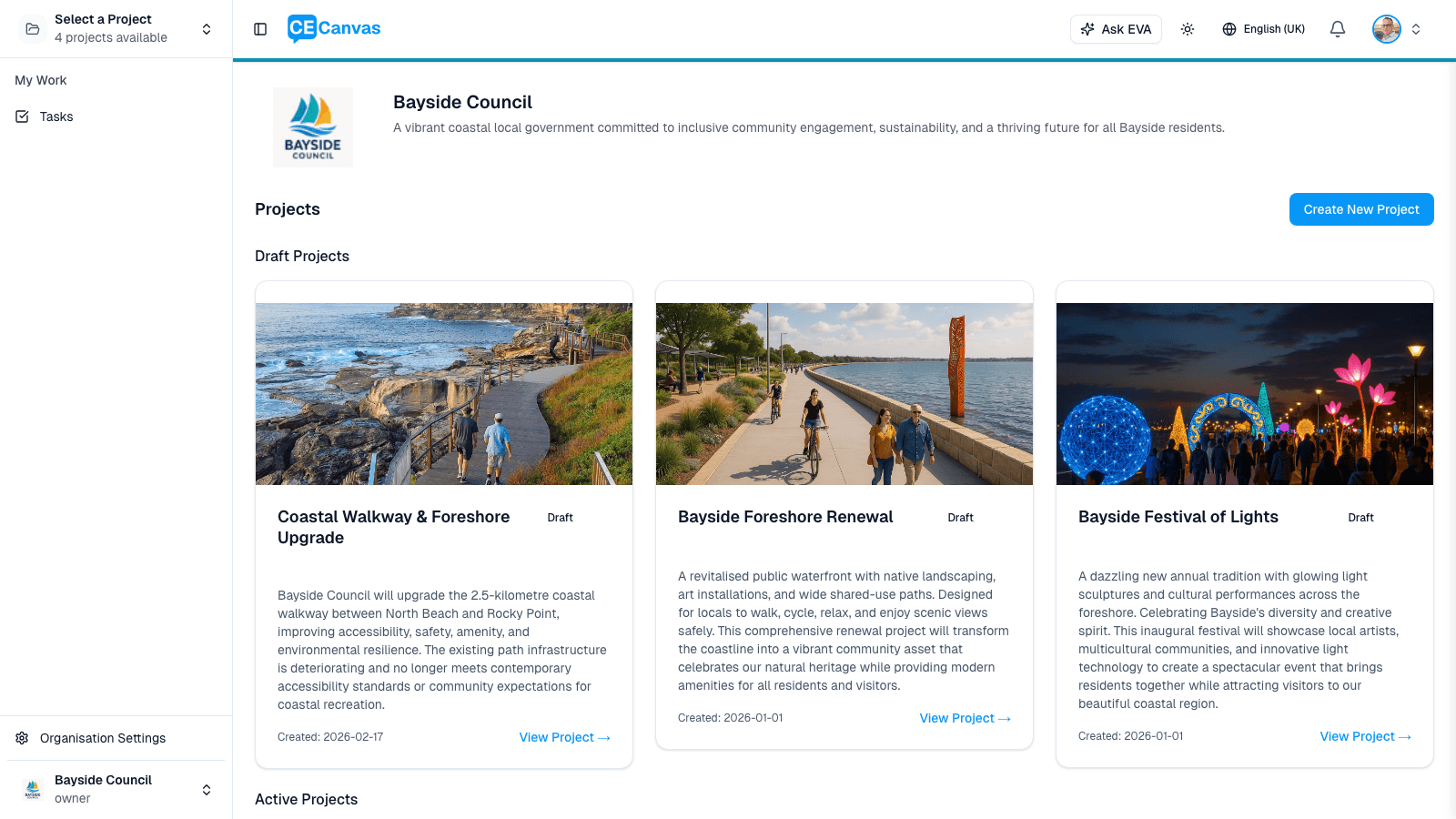
Projects without a photo show a civic scene illustration — the same scene family appears on the project’s thumbnail and its home page, so projects stay recognisable.
The organisation picture (owners and admins)
Owners and admins see two more tabs at the top of the home page. Each answers a different question, so the everyday view stays personal and quiet.
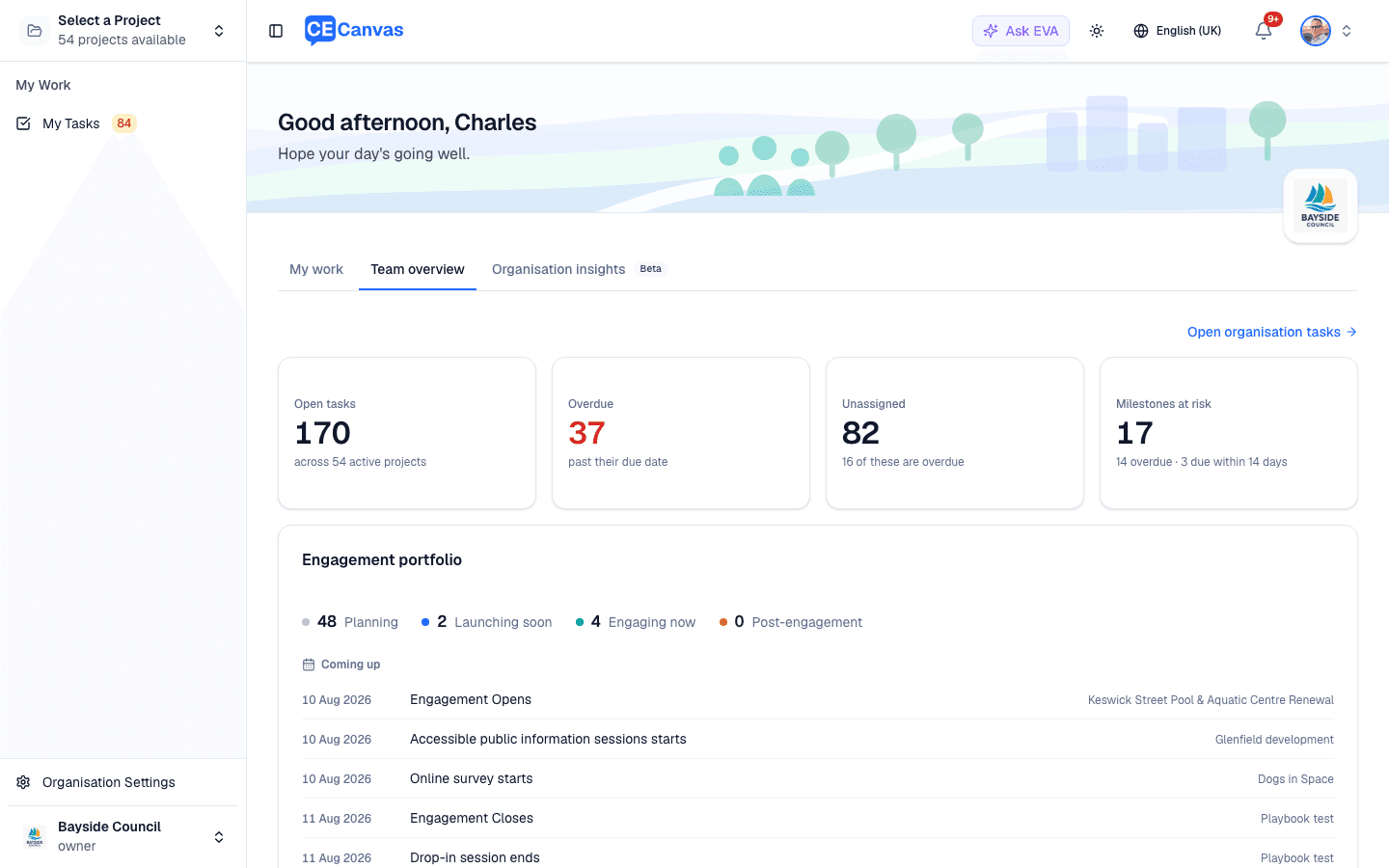
Team overview (in organisations with three or more members) answers what needs attention now? Four cards lead — Open tasks, Overdue, Unassigned, and Milestones at risk — and each card is a shortcut into the filtered task list. Below them, the Engagement portfolio shows where every project sits in the lifecycle (Planning, Launching soon, Engaging now, Post-engagement) plus Coming up, the next engagement events over the coming month; Team workload shows each member’s open and overdue tasks at a glance; and Project health groups projects into Needs attention, On track, and Quiet, with the reason beside each project that needs a look.
Organisation insights (beta, enabled per organisation) answers a longer-horizon question: what are we learning about how our organisation engages? It aggregates across your projects — portfolio scale and delivery trend, the methods you actually use across the IAP2 spectrum, which stakeholder groups you set out to reach versus those with recorded participation (including groups flagged for deliberate outreach still waiting to be heard), the themes communities raise across projects, the difference engagement made (report-backs and outcomes), and practice health. It reports your organisation’s practice, never individual practitioners, and sections fill in as your project records grow.
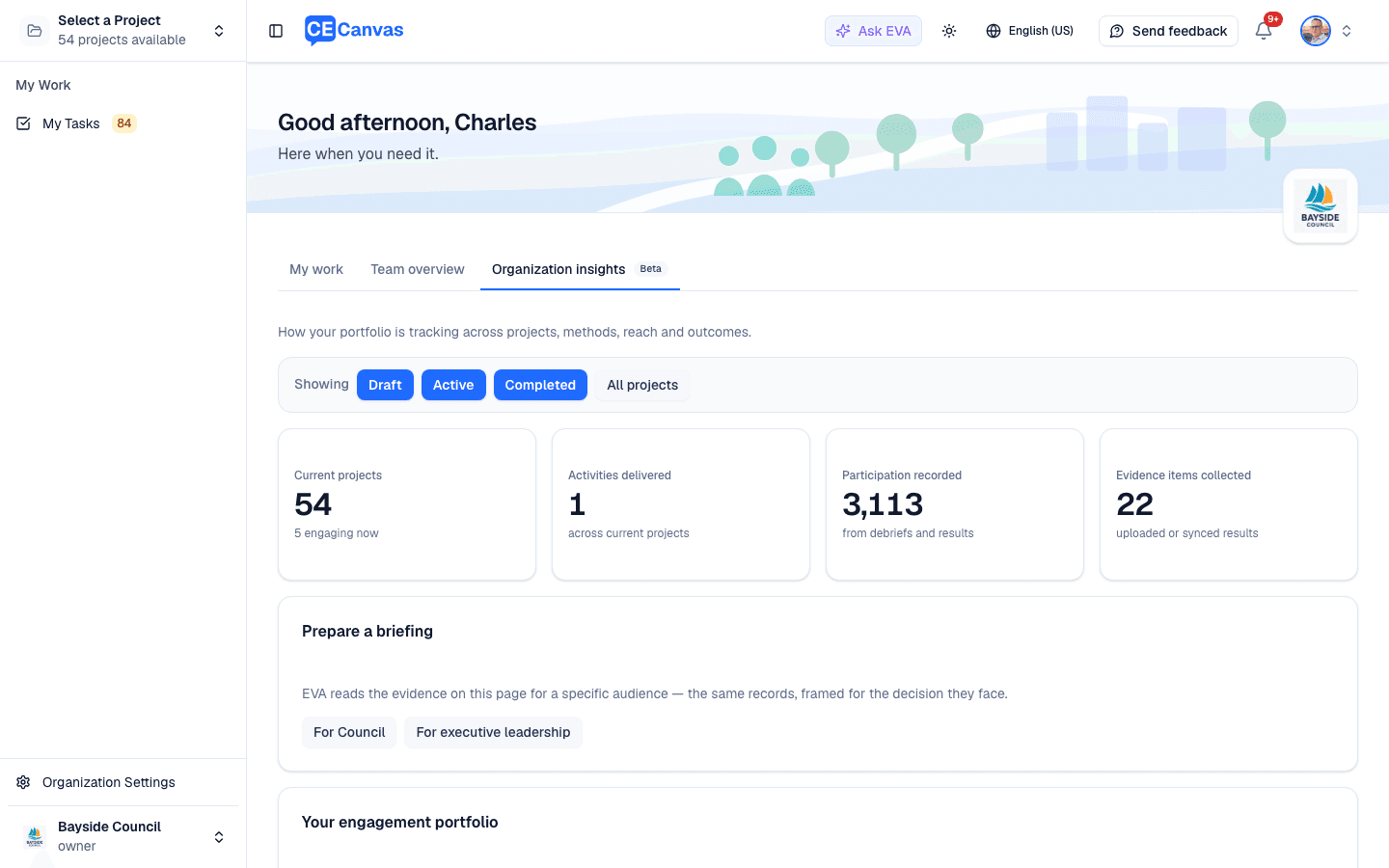
Use Showing at the top of the tab to narrow what you’re looking at — by project status, or by picking specific projects. The scope sits in the page address, so a filtered view can be bookmarked or shared and everyone sees the same figures. When a filter is on, the page tells you how many projects are in scope and how many are excluded.
From the same tab, Prepare a briefing asks EVA to read that record for a particular audience — Council or executive leadership — and write it up. The briefing always covers whatever is currently in scope — it has no separate filter of its own, so it can never describe a different set of projects than the page in front of you, and it states its scope when one is applied. Both briefings are built from the same figures shown on the page; only the framing changes, because the two audiences need the evidence for different decisions.
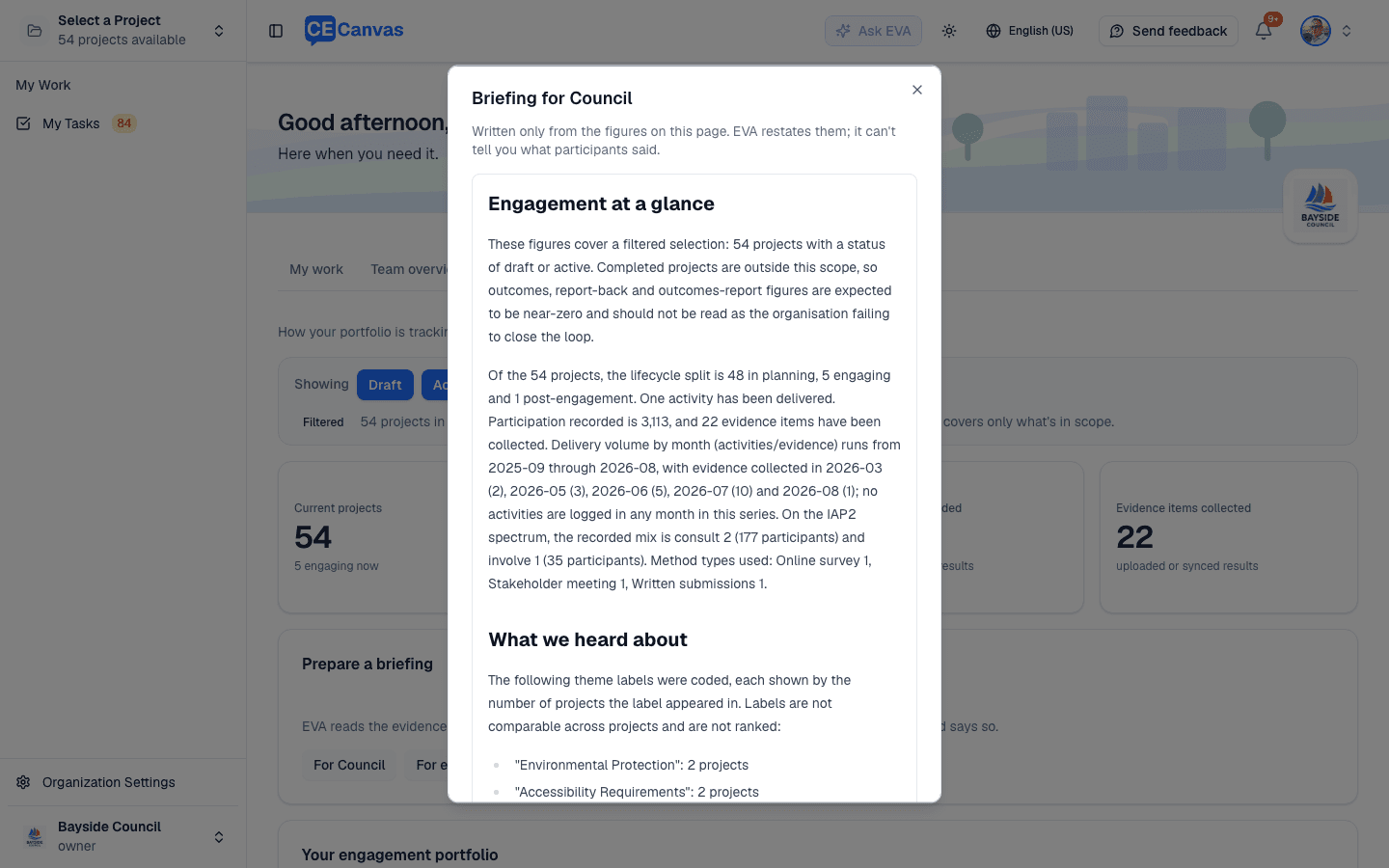
One thing to watch when filtering: leaving completed projects out also leaves out outcomes, report-backs and outcomes reports, because those only come from finished work. The page and the briefing both say that those figures are hidden by your filter rather than missing — but if you’re briefing anyone on what engagement changed, include completed projects. EVA restates those figures rather than calculating new ones, and flags where the record is thin instead of filling the gap. Two things it deliberately won’t do: claim what participants said (the cross-project record holds coded themes, not comments) or describe a theme as rising or spreading (themes are coded per project, so they can’t be compared over time). Check anything you plan to repeat in public against the panels on the page.
3. Invite your team
Before creating projects, add your team members so they can be assigned to projects and tasks.
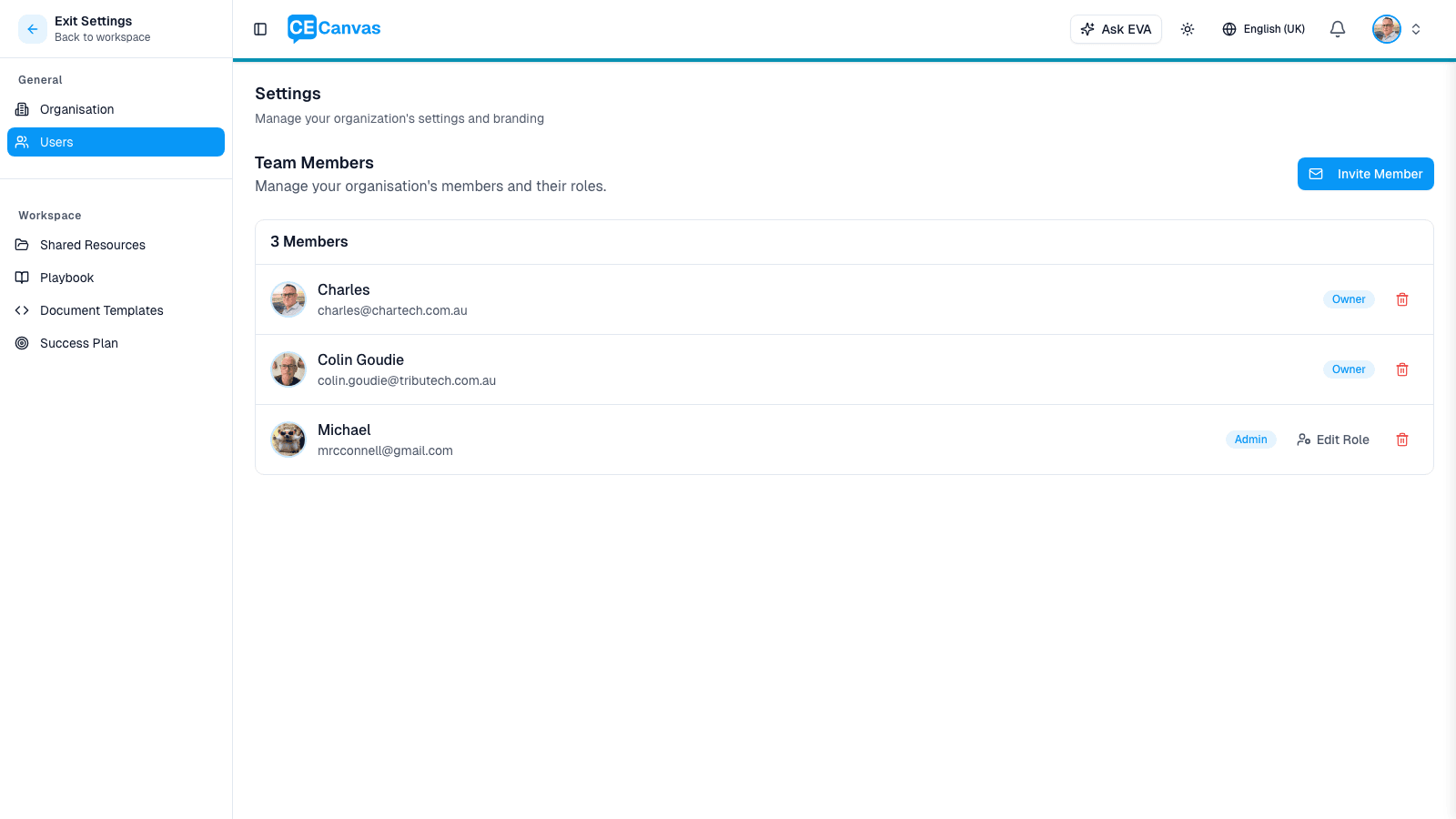
- Go to Organisation Settings (bottom-left sidebar)
- Select Users from the settings menu
- Click Invite Member
In the invite modal, enter the person’s email address and assign them a role — Admin or Member.
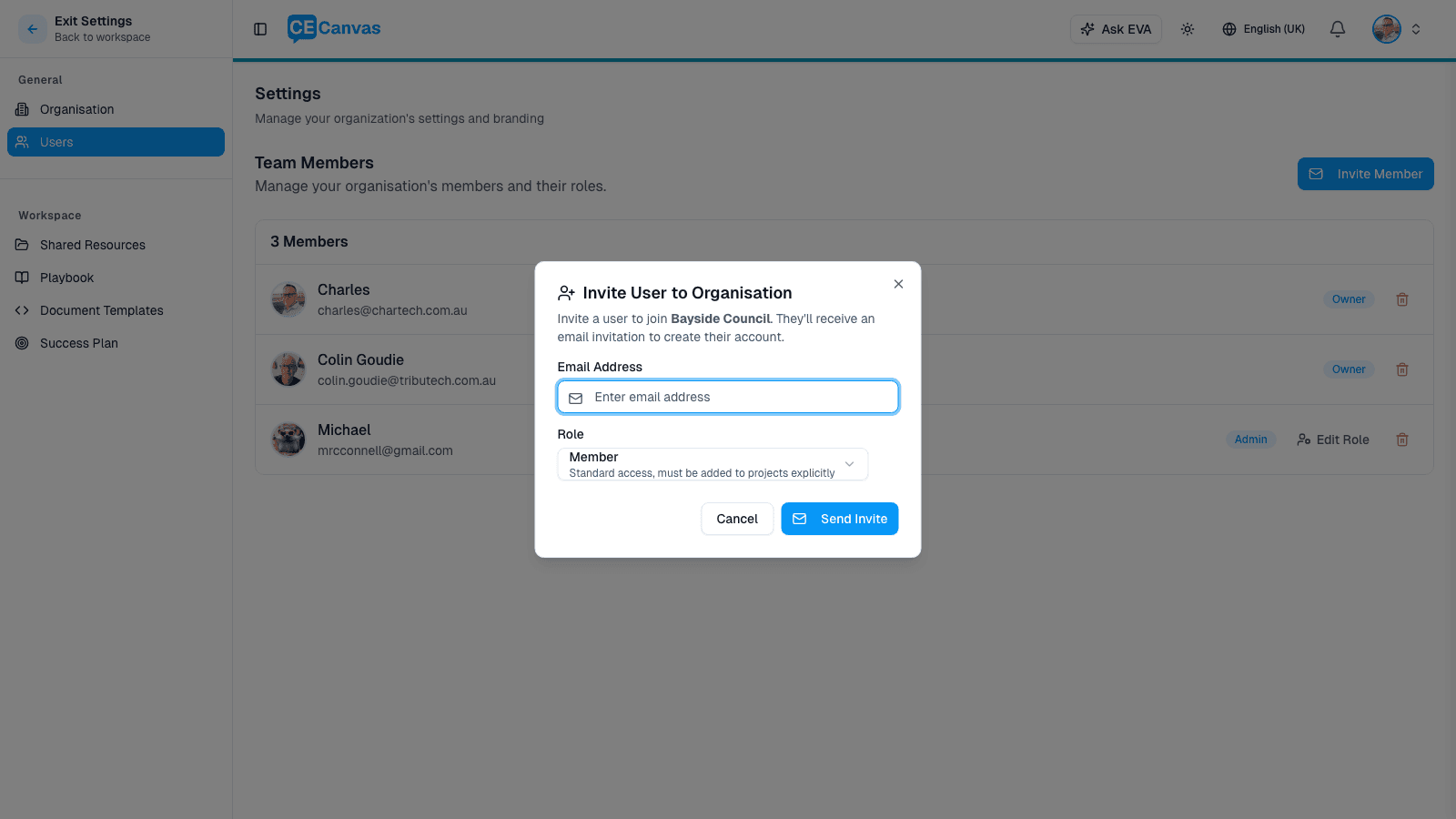
| Role | Access |
|---|---|
| Admin | Manage members, projects, and all settings |
| Member | Access only to projects they are explicitly added to |
The invited person receives an email to create their account.
Why this order matters: projects created before the team exists tend to accumulate unassigned work. Adding people first means every task can have an owner from day one.
4. Create your first project
From the dashboard, click New project.
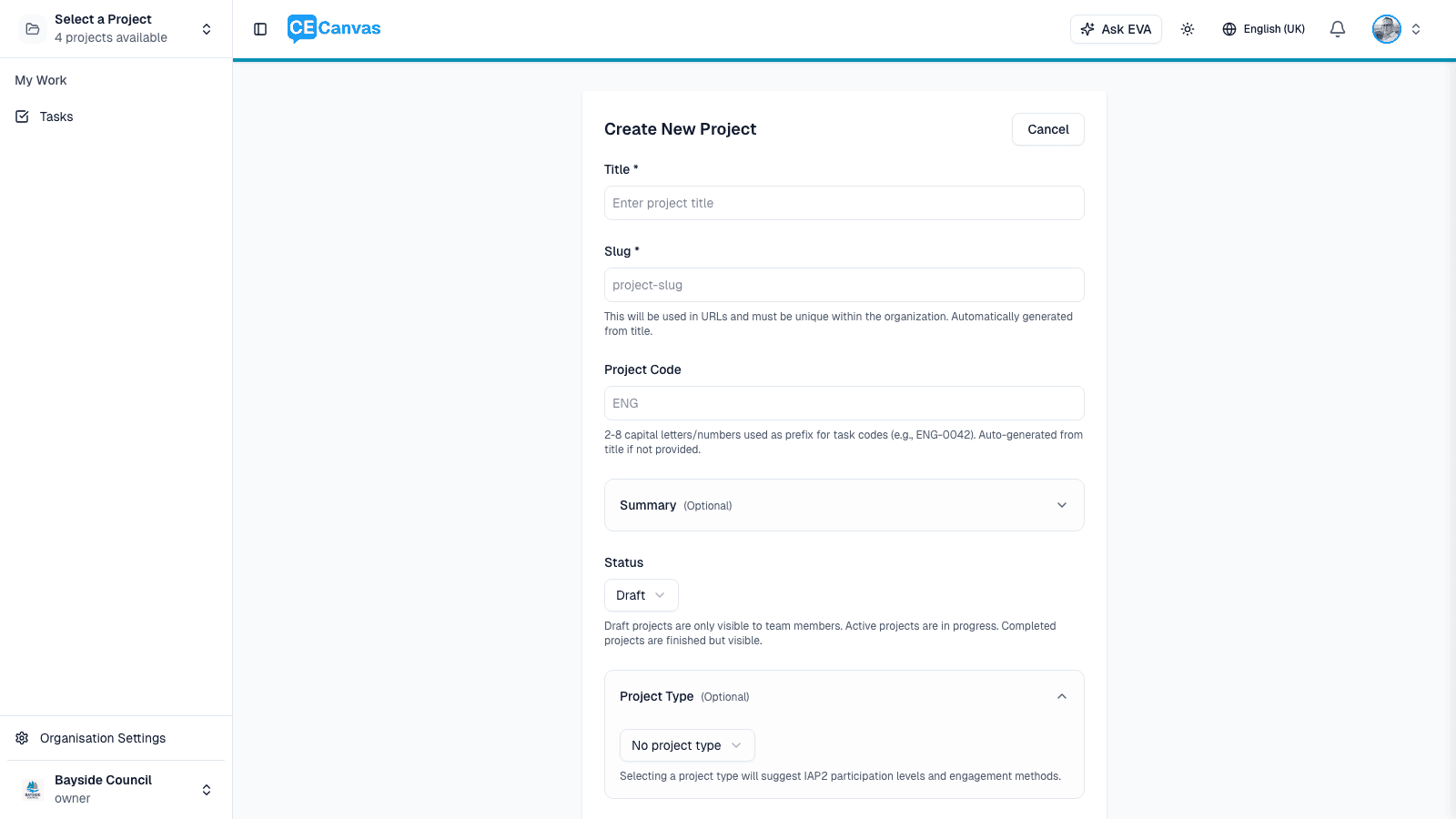
Fill in the project details:
- Title — the name of your engagement project
- Project approach — whether this is an Engagement project (stakeholders can influence substantive decisions) or a Communications project (inform and update — decisions are not open to influence). Not sure? Help me assess walks you through a short set of questions and recommends an approach with its reasoning. You can also Skip for now and decide when you first open Project Context.
- Playbook — optional; applies your organisation’s standard tasks and timing for this type of project. You can add or change it later from Project Home.
- Description — a brief description of the project
- Status — start as Draft while you’re setting up; switch to Active when engagement begins
The project slug (URL) and project code (task prefix) are set automatically on creation. You can adjust them later under Advanced settings in Project Settings.
5. Your project home
Once created, the project opens on Project Home — the project’s identity page and the place CE Canvas always tells you the single next useful action.
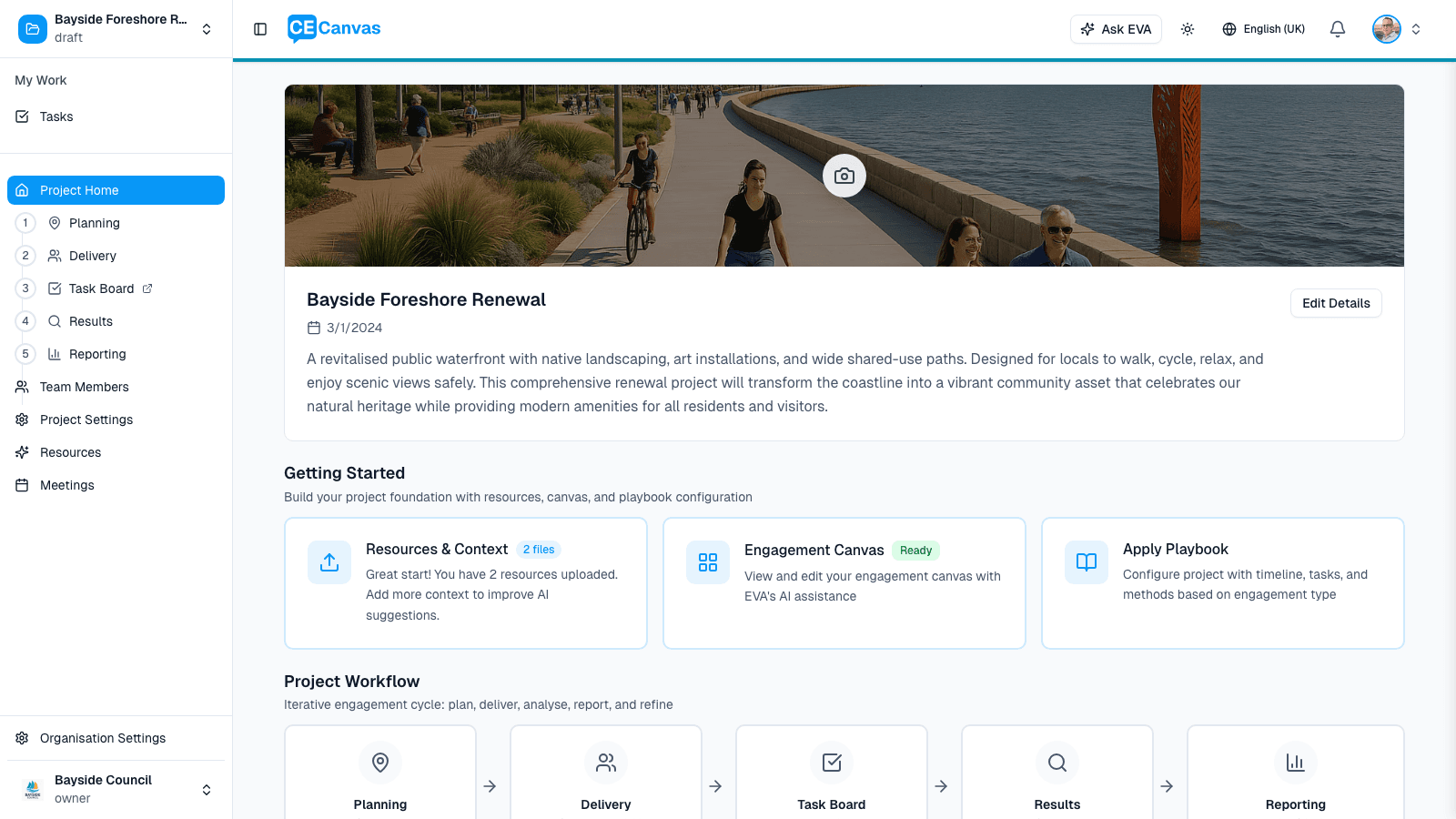
Three things to notice:
- The hero carries one primary action — it changes as the project progresses (Continue Project Context → Continue canvas → Generate your workplan). If you only ever click that one button, you’ll move through setup in the right order.
- Vital-sign chips under the action show the project pulse — current phase, next milestone (flagged when overdue), open tasks, and canvas progress. Each chip links to the surface where you act on it.
- The sidebar is the project journey — Planning (with Context, Canvas, and Plan beneath it), Delivery, Results, Reporting, Close & Learn. Tasks sits above the journey as a persistent item, not a step you pass through. The current stop is highlighted. The journey is orientation, not a gate: every stop is always available.
- Participation sits below the journey — Public Page and Input tools, the surfaces participants touch. They are built during planning, live during delivery and read during analysis, so they belong beside the journey rather than inside one stage. Each appears only when your account has that feature enabled.
Your first stop is Project Context. If you skipped the project-approach choice at creation, Context starts with the one-question classification: can stakeholders influence substantive decisions on this project? Answer it before anything else; it shapes the planning approach, canvas, and guidance for the whole project. Communications projects also read the journey in their own vocabulary — Produce & Schedule, Publish & Deliver, Monitor, Evaluate, and Evaluate & Learn.
6. Managing tasks
CE Canvas includes a cross-project view under My Tasks, and each project has its own Tasks surface — a persistent item above the journey rail.
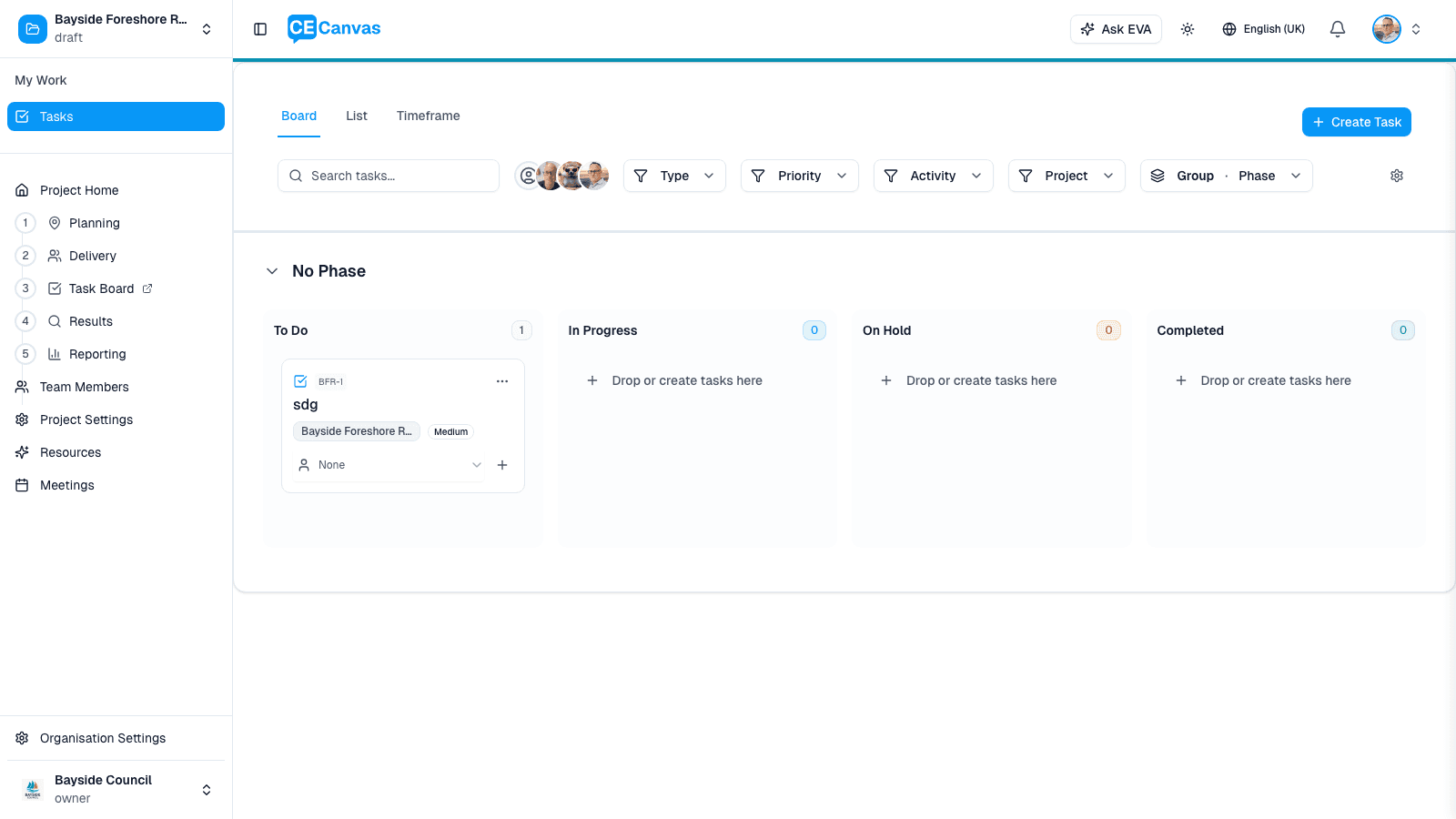
Tasks can be grouped by phase, filtered by assignee, type, priority, activity, or project, and viewed as a Board, List, or Timeline. See Tasks.
7. Using EVA
EVA is CE Canvas’s engagement advisor, available throughout the platform. Open it with Ask EVA in the top navigation, or use the inline Draft with EVA actions that appear on context fields, canvas sections, and documents.
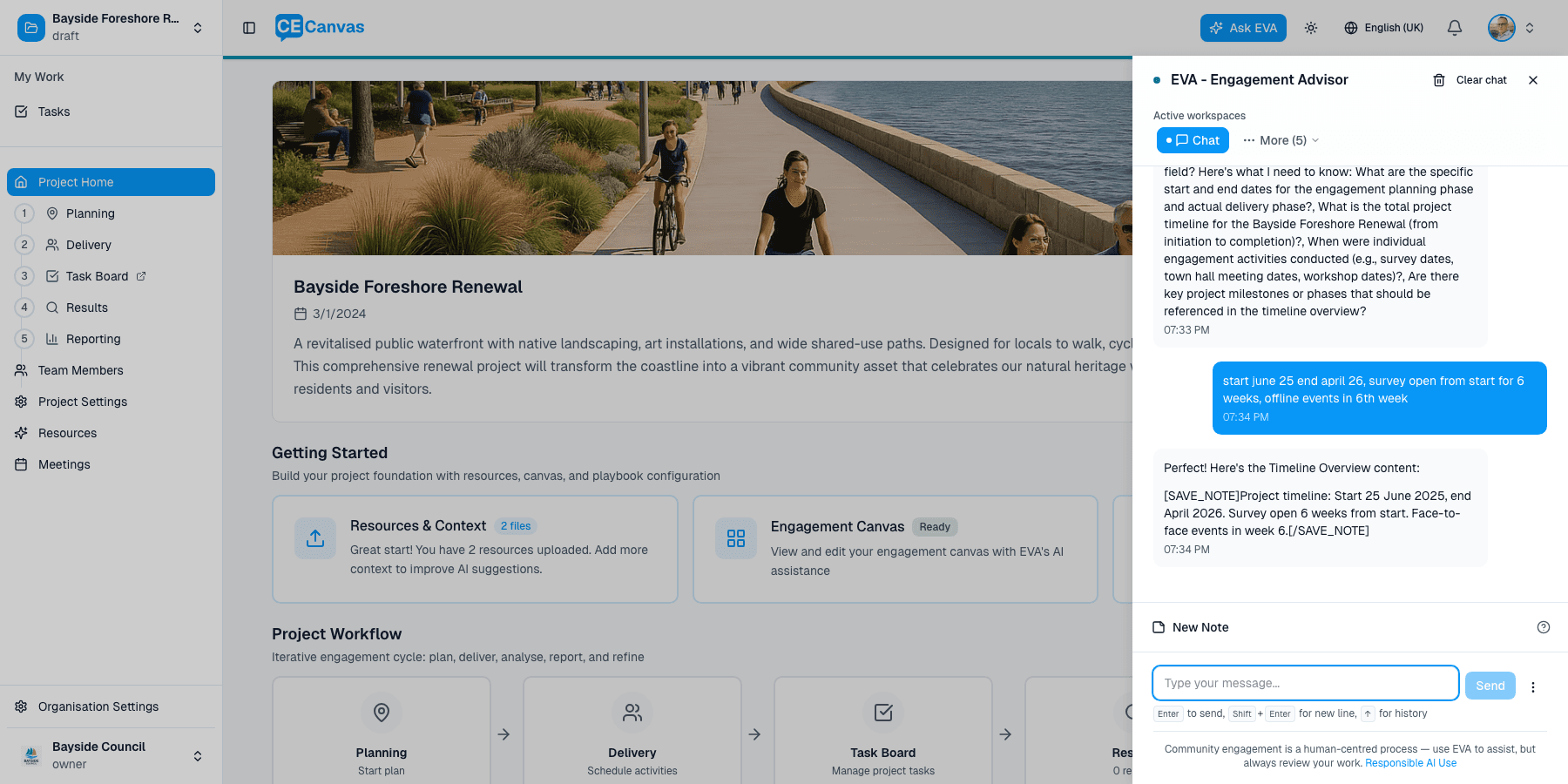
EVA can help with:
- Drafting context, canvas sections, and plan documents from your uploaded materials
- Stakeholder identification and analysis
- Method selection and IAP2 guidance
- Suggesting delivery tasks for engagement activities
- Analysing engagement results into themes, sentiment, and evidence
EVA is a tool to support your expertise — always review what it generates. See Responsible Use of AI.
Next steps
- Work through the Engagement Sequence Overview — the thinking behind the journey
- Open Project Context and classify your project
- Read Roles and Permissions to understand what each role can do