Roles and Permissions
This guide explains who can do what in CE Canvas at both the organisation level and project level.
Organisation roles
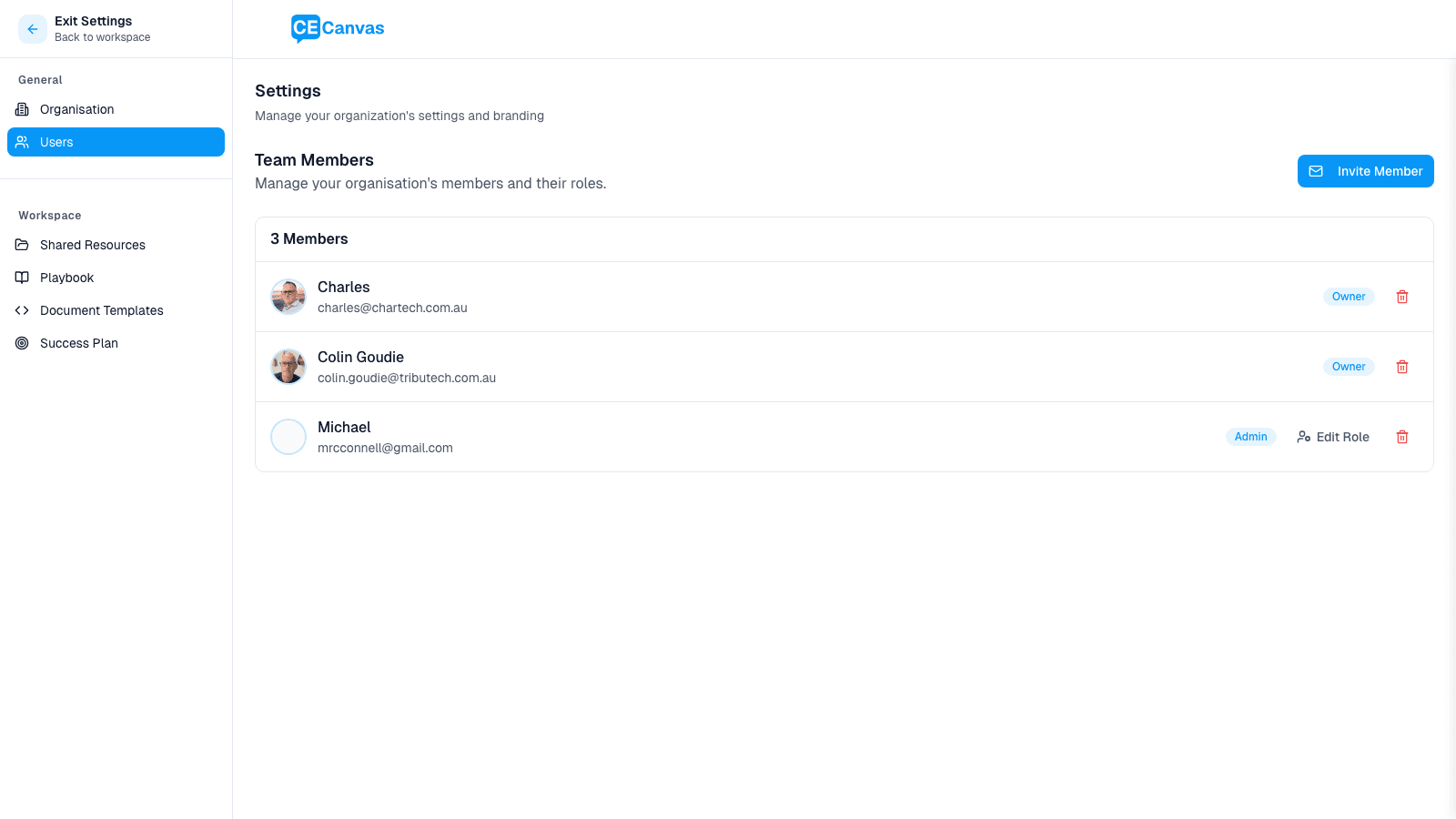
Organisation roles control account-level access: inviting users, changing roles, and managing organisation settings.
| Organisation Role | What this role can do |
|---|---|
| Owner | Full access across the organisation. Can manage users and settings. |
| Admin | Can manage users, projects, and organisation settings. |
| Member | Standard access. Must be explicitly added to projects to work in them. |
Important role rules
- The organisation owner role is fixed in-app and cannot be reassigned directly from the member role dropdown.
- Organisation Owners and Admins can manage member roles from Organisation Settings → Users.
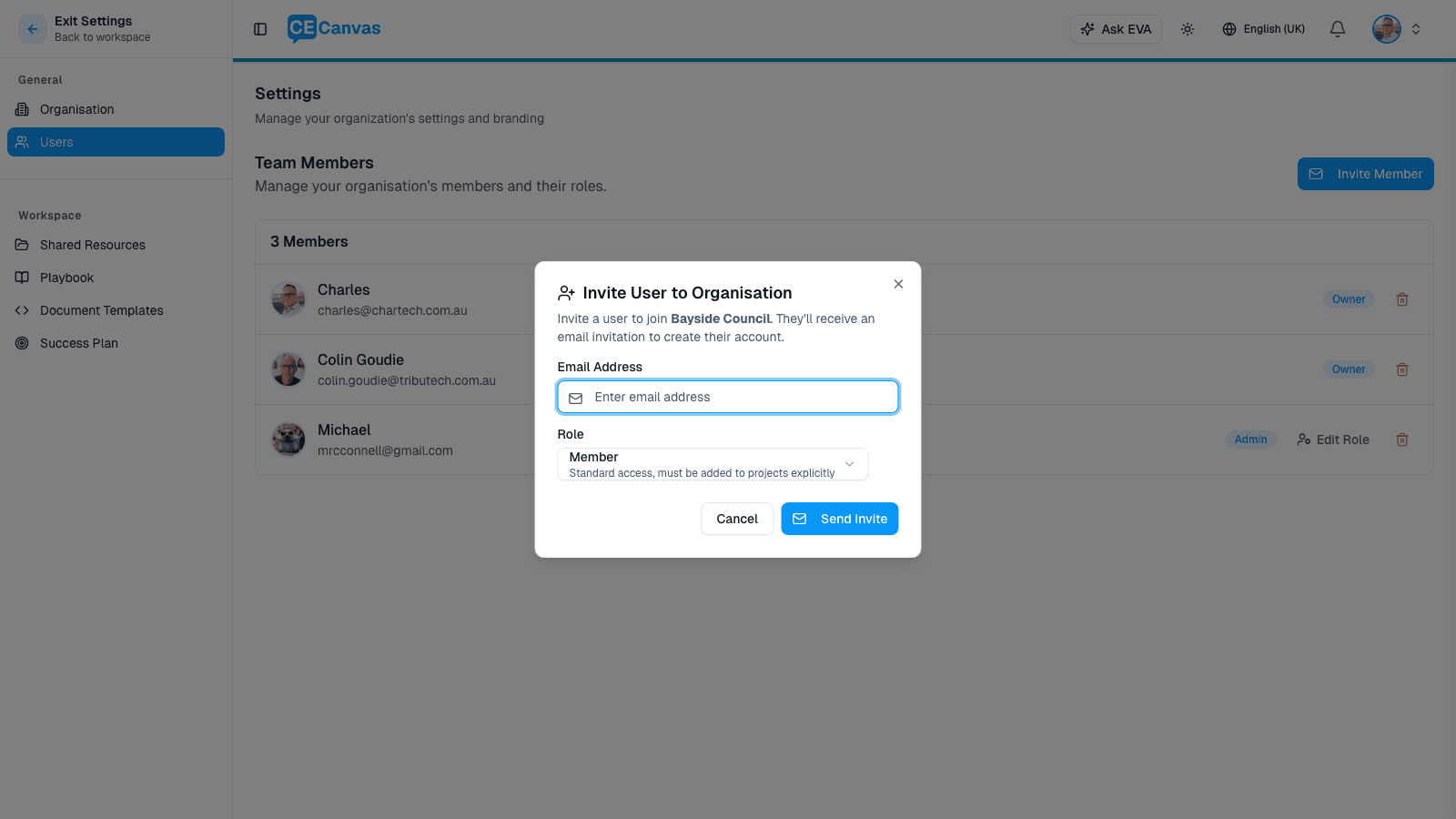
- Invitations support Admin and Member roles.
If your organisation uses SSO, your identity provider controls who can authenticate, while CE Canvas roles control what they can do after they are added to the organisation. See Single Sign-On for SAML setup and access-control guidance.
Project roles and access
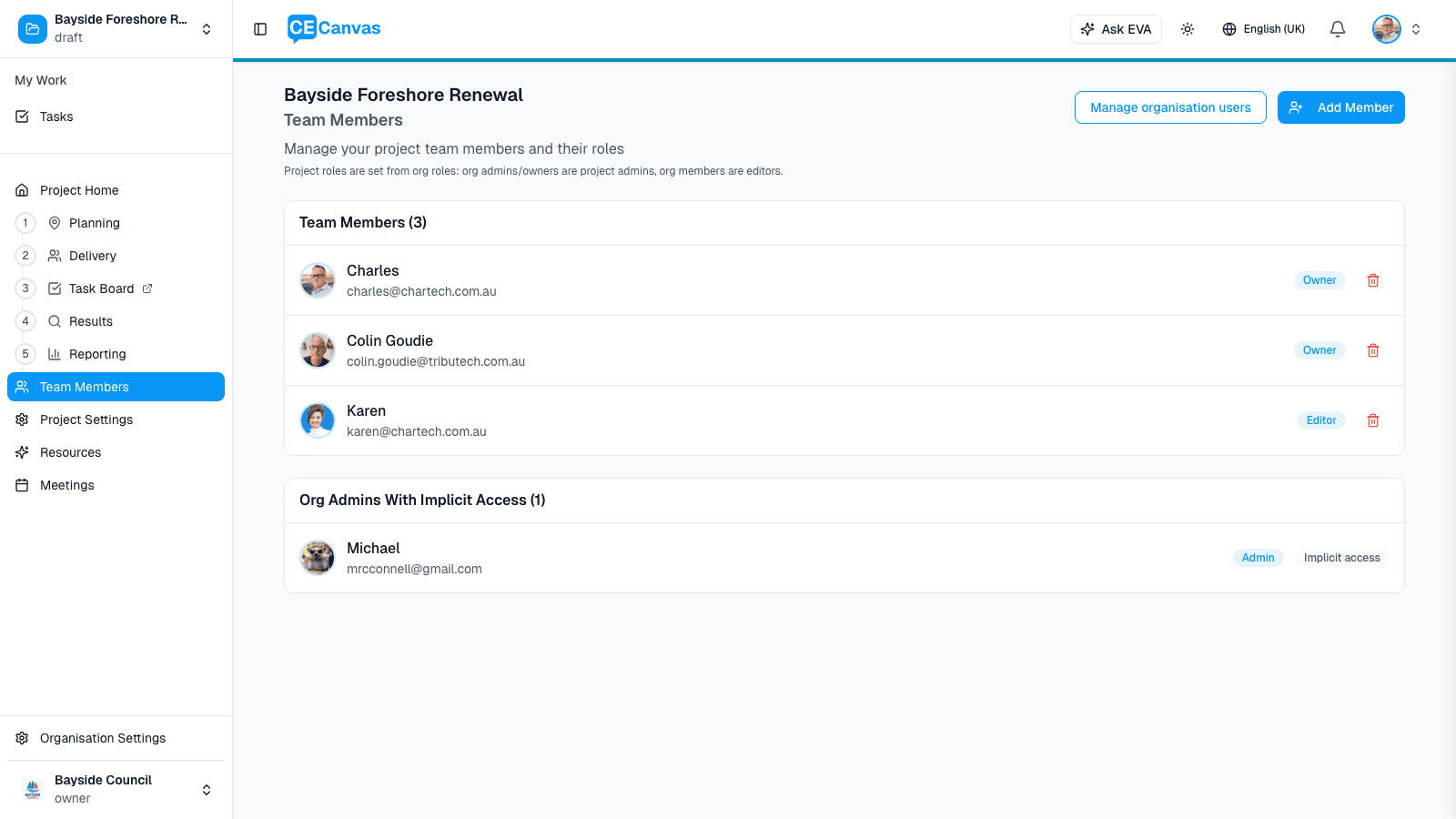
Project access is derived from organisation role plus explicit project membership.
| Organisation Role | Project Access |
|---|---|
| Owner | Implicit project owner/admin-level access to all projects in the organisation. |
| Admin | Implicit project owner/admin-level access to all projects in the organisation. |
| Member | Must be added to the project; when added, they work as a project editor. |
Project roles used in CE Canvas:
- Owner: Full control of the project, including member management.
- Editor: Can create and edit project content and tasks.
In this permission model, if someone has project access, they can edit project content.
Common permission questions
Why can an admin access projects they were not added to?
Organisation Owners and Admins have implicit access to all projects in their organisation.
Why can a member see one project but not another?
Organisation Members only get project access when they are explicitly added to each project.
Who can invite people?
Organisation Owners and Admins can invite users from Organisation Settings → Users.
Why can’t I change the owner role?
Owner is a protected role in the UI. If ownership transfer is needed, follow your internal support process.
Recommended access setup
For most teams:
- Keep Owner limited to a small number of accountable administrators.
- Use Admin for team leads who need to manage users and project setup.
- Assign most users as Member and add them only to the projects they work on.
This keeps access clear while avoiding accidental over-permissioning.
Next steps
- Continue with Project Team to add people to a project and assign tasks
- Review Single Sign-On if your organisation uses SAML SSO
- Review Getting Started for the full initial setup flow