Close & Learn
Close & Learn is the fifth and final stage of the engagement journey. It turns two disciplines into a structured workspace: closing the loop — going back to the communities who participated to tell them what happened to their input — and evaluating the engagement — did we reach who we planned to reach, did input influence the decision, and what should we do differently next time?
From the project sidebar, go to Close & Learn (route /workflow/close; the Final stage of the journey). Both disciplines are decided at planning time, not after delivery — this stage is where you make good on the commitments the Canvas recorded.
If you skip this: the engagement ends when the last session does. Communities never learn what their input changed, the organisation can’t demonstrate influence when challenged, and the lessons evaporate before the next project starts.
The Close & Learn workspace
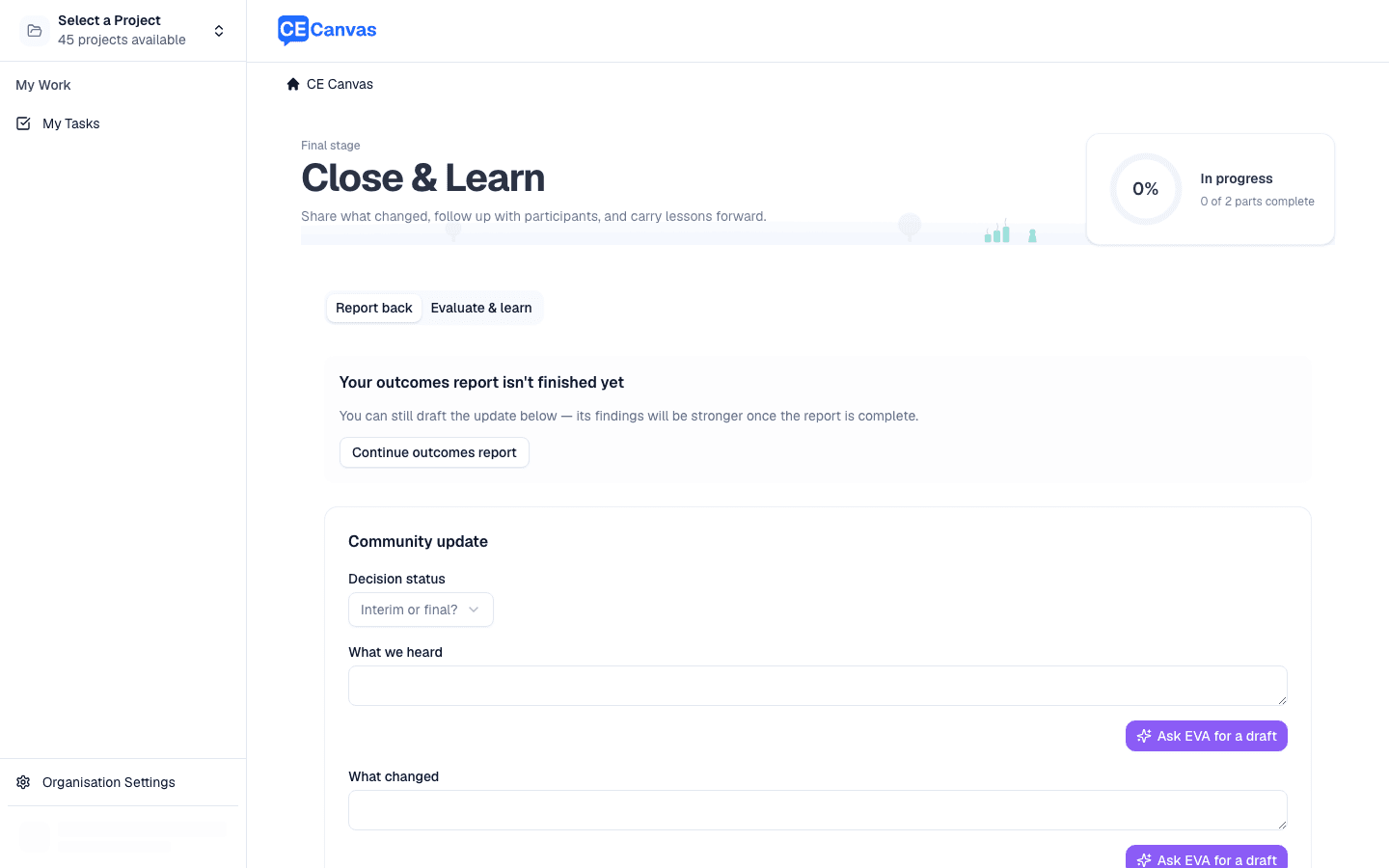
The stage is a structured workspace with two tabs and a two-part completion meter in the header — one part for each tab. When both parts are complete, the loop is closed and the workspace confirms it.
| Tab | What it captures |
|---|---|
| Report back | The update you take back to participants, plus a record of how and where you shared it |
| Evaluate & learn | An honest review of what the engagement achieved and the lessons to carry forward |
Each tab records a completion timestamp when its part is finished, so it’s clear when the report-back went out and when the evaluation was done.
Report back
This tab builds the community update — the “what happened to your input” message — and records that you actually delivered it.
- What we heard — the key themes, honestly summarised
- What changed — the specific connection between input and the decision
- What could not change and why — the part teams most want to skip and communities most remember
- What happens next — the next steps for participants
- Decision status — whether this is an interim update or the final decision
- Sharing record — the channel you used (public page, email, meeting, website, social, or other), the date, and a link or reference to where the update lives
- Direct follow-ups — per-group tracking for the groups you flagged for deliberate outreach, each with a status of pending, complete, or not required
Close the loop always, specifically, and on time — even when the news is unwelcome. “We heard you, and here is why the decision went the other way” maintains more trust than silence. It’s the cheapest trust-building activity in the entire engagement lifecycle: no venues, no facilitation, only the discipline to do it.
Evaluate & learn
This tab is the honest look back — necessary for the next engagement, not just this one.
- Evaluation measures — your Evidence of Influence measures, set in the Canvas during Planning, each recorded as met, partly met, not met, or not measured, with optional evidence
- What worked — what to keep doing
- What should change — what to do differently
- Key lesson — the single most important thing to carry forward
- Learning actions — concrete improvement actions (or a note on why none is needed)
Process measures vs outcome measures. Sessions held, participants counted, and submissions received are process measures — necessary but not sufficient. The outcome measure is whether community input improved the decision. Defining success in the Canvas (Engagement Objectives and Evidence of Influence) before delivery is what makes this a check against intent rather than a story assembled afterwards.
Drafting with EVA
EVA can draft the fields on both tabs directly on this surface — the report-back narrative and the evaluation notes — working from your analysed Results, the Outcomes Report, and the project’s Canvas. As everywhere in CE Canvas, EVA drafts; it can’t make the influence claim true. If community input didn’t shape the decision, say so plainly — an honest “input confirmed the existing direction” preserves trust; an inflated story destroys it when communities compare the report to reality.
Why closing the loop is non-negotiable
Communities invest time and knowledge in engagement. When they never learn what happened to that investment:
- Trust erodes — not just in the project, but in the organisation’s engagement generally
- Future participation declines — the people who weren’t answered last time don’t come back
- The loudest voices win by default — because the broad community concluded participation doesn’t matter
Practical timing
- Write the closing-the-loop commitment (audience, channel, date) into the Canvas before engagement opens
- Put the fulfilment date in your milestones so it appears in delivery tracking and on the dashboard — a promise with no date attached is a hope
- The Outcomes Report is the evidence base the report-back draws on — build it first, then bring its findings here
Next steps
- Reporting — the report the community update is built from
- Results — the evidence base evaluation draws on
- Engagement Sequence Overview — Steps 8–10 in full context