Project Context
Project Context is where you establish the decision frame before designing any engagement. It answers the questions every later surface depends on: what kind of project is this, what decision is being made, what is genuinely open to influence, and what is already fixed.
This is Steps 1–3 of the engagement sequence. The quality of what you capture here directly determines how useful the Canvas, the Engagement Plan, and EVA’s suggestions are downstream — a specific context produces specific guidance; a vague one produces plausible-sounding filler.
If you skip this: engagement gets designed around assumptions instead of the actual decision. Constraints surface mid-engagement, communities discover the thing they came to influence was never open, and trust is spent that took years to build.
First: classify the project
Most projects are classified at creation — the create form’s Project approach step offers Engagement, Communications, a guided Help me assess questionnaire, and Skip for now. If the choice was skipped, the first time anyone opens Project Context on the project CE Canvas asks the same one question — can stakeholders influence substantive decisions?
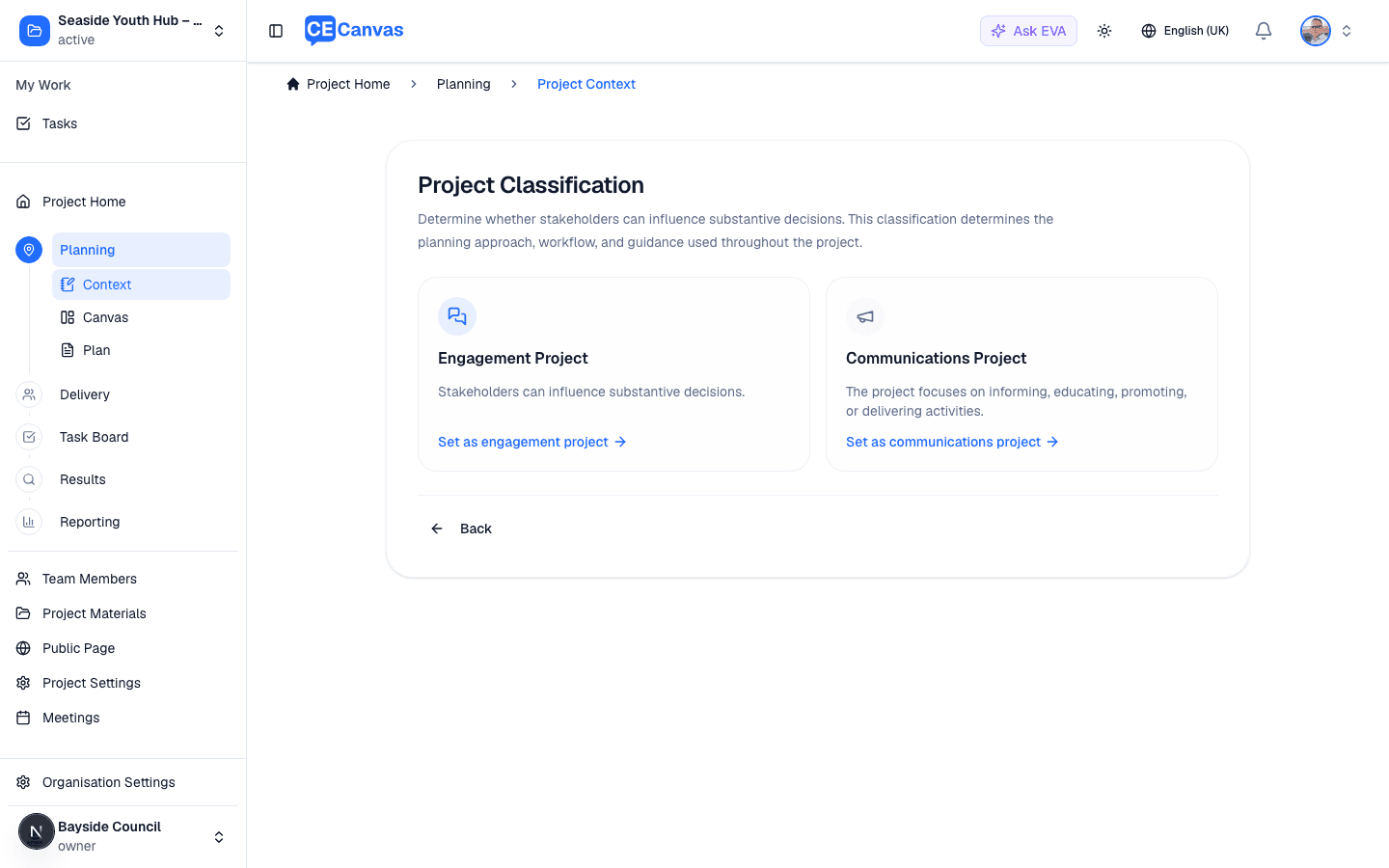
- Engagement Project — stakeholders can influence substantive decisions. You continue into Project Context and the full engagement workflow.
- Communications Project — the project informs, educates, or promotes, but the decisions are made. CE Canvas switches the project to the Communication Canvas and communications-mode guidance.
The classification is set once and is durable across the project — but never locked. Change it any time from the Project Definition card (the Change action under the classification).
Why this comes first: calling a communications project an “engagement” is the single most damaging framing error in this field. It invites the community to influence a decision that is already made. The classification forces that honesty before any planning happens — and CE Canvas then keeps the workflow, canvas, and AI guidance consistent with the answer.
The Project Context workspace
Once classified, Project Context opens as a workspace.
Getting started banner — three ways to give EVA something to work from: Upload materials, Discover with EVA (researches your organisation’s public web presence), and Extract context with EVA (reads uploaded materials and drafts context fields). Dismiss it once you’re moving; reopen it from the header.
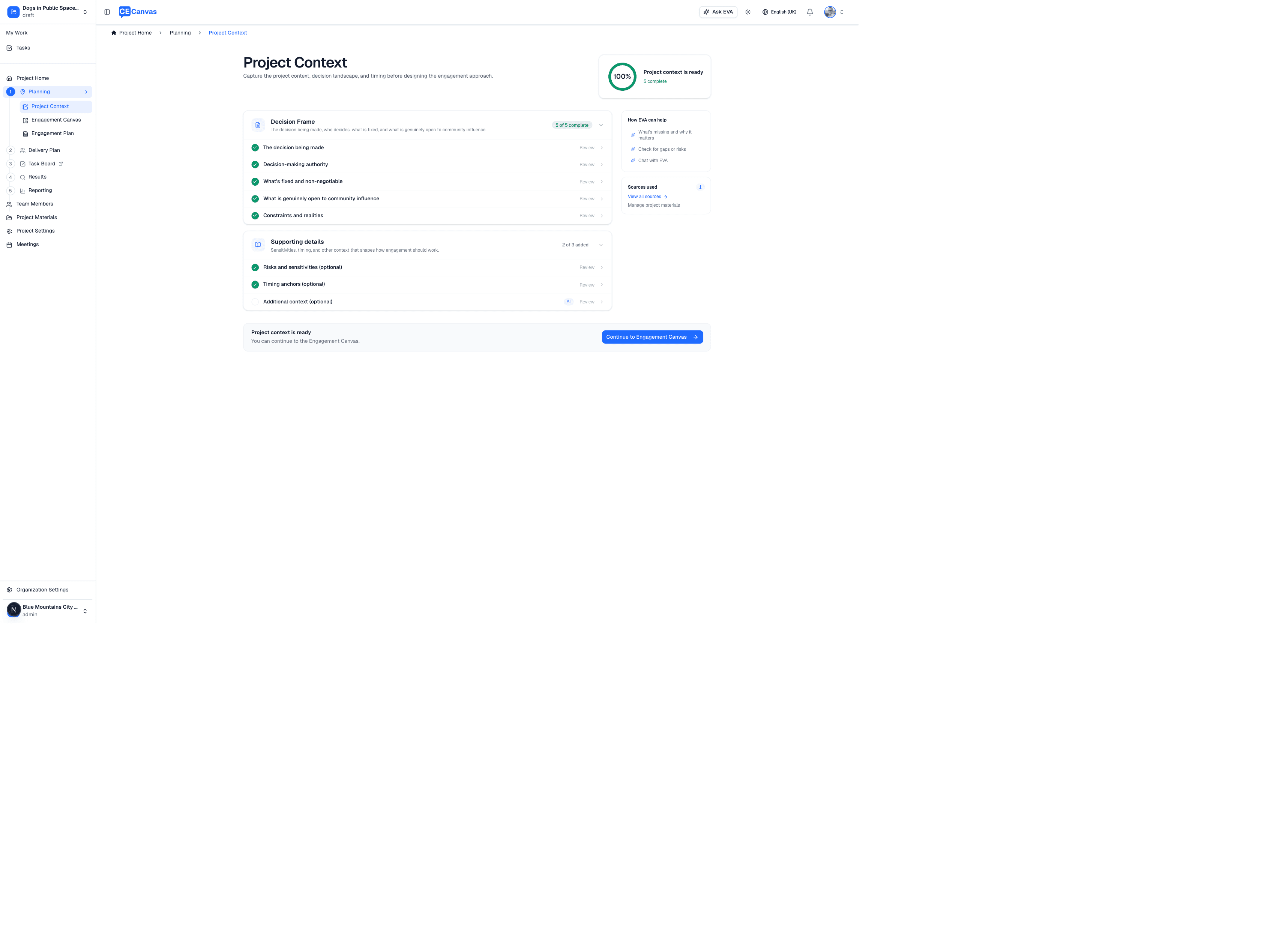
Before you start — the opening screen sets out what the step covers: the seven questions you’ll be asked (choose What will I be asked? to read them in full), what to have ready, and who to have in the room. Answer these with the project lead and the engagement lead together — the project lead knows what is fixed and who signs off, the engagement lead knows what participants will ask. Answers made without both tend to be revised later.
Project Definition card — the project description (edit it any time via Edit description, with Draft with EVA support) and the project classification (with its Change action).
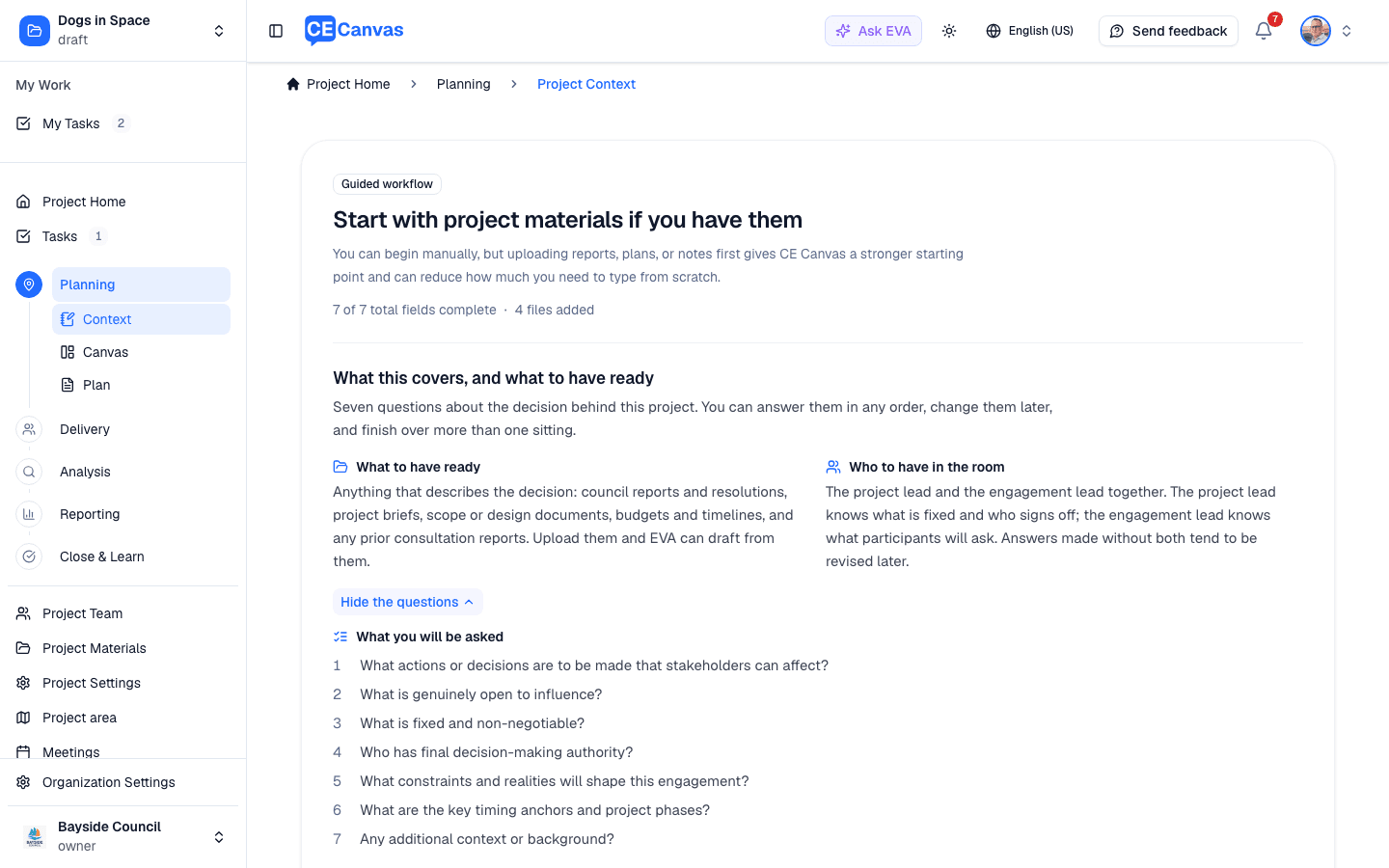
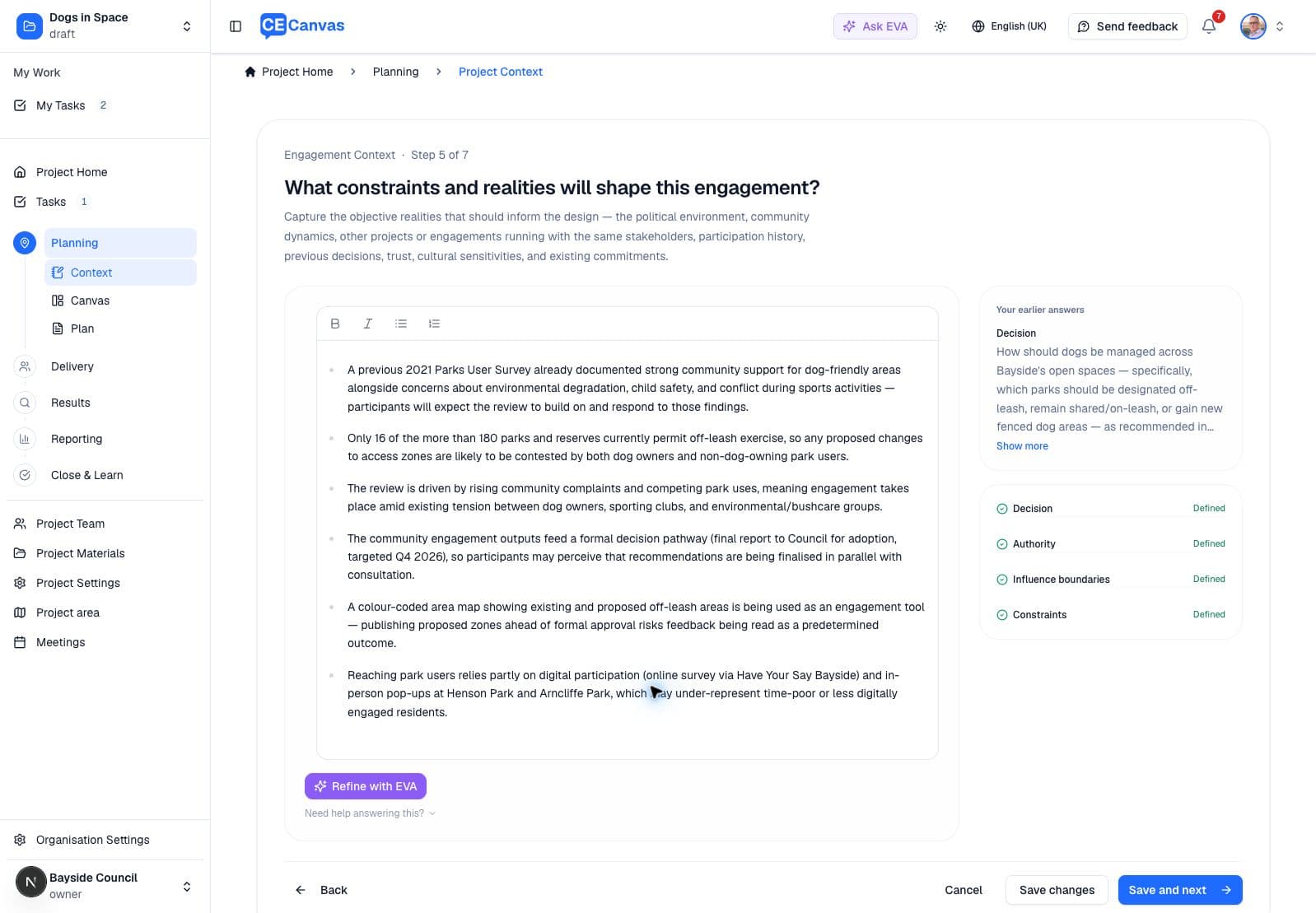
Engagement Context — the decision-frame fields, confirmed one by one:
- The actions or decisions stakeholders can affect
- What is genuinely open to community influence
- What’s fixed and non-negotiable
- Decision-making authority
- Constraints and realities
- Timing anchors
- Additional context
An optional Risks & Sensitivities field captures historical context, equity gaps, or community trauma the strategy needs to navigate — surface it when it applies.
Each field shows its status: Needs input, Partial when something is written but the step’s own judgement says it could say more (Add detail opens it), or confirmed. The progress panel and the Planning hub’s Project Context pill count only confirmed fields, so a Partial answer never reads as ready; you can still continue with one outstanding. the Sources used panel lists which uploaded materials EVA is drawing from.
Guidance while you answer — each question carries a Practice note at the top of the step explaining why the decision frame matters, and a Guidance note beneath the field with a worked example, why the question is asked, and the trap people fall into. Choose Read more to expand either, or Got it to fold it to a single line once you know it — it is remembered for you across projects and devices, and View brings it back.
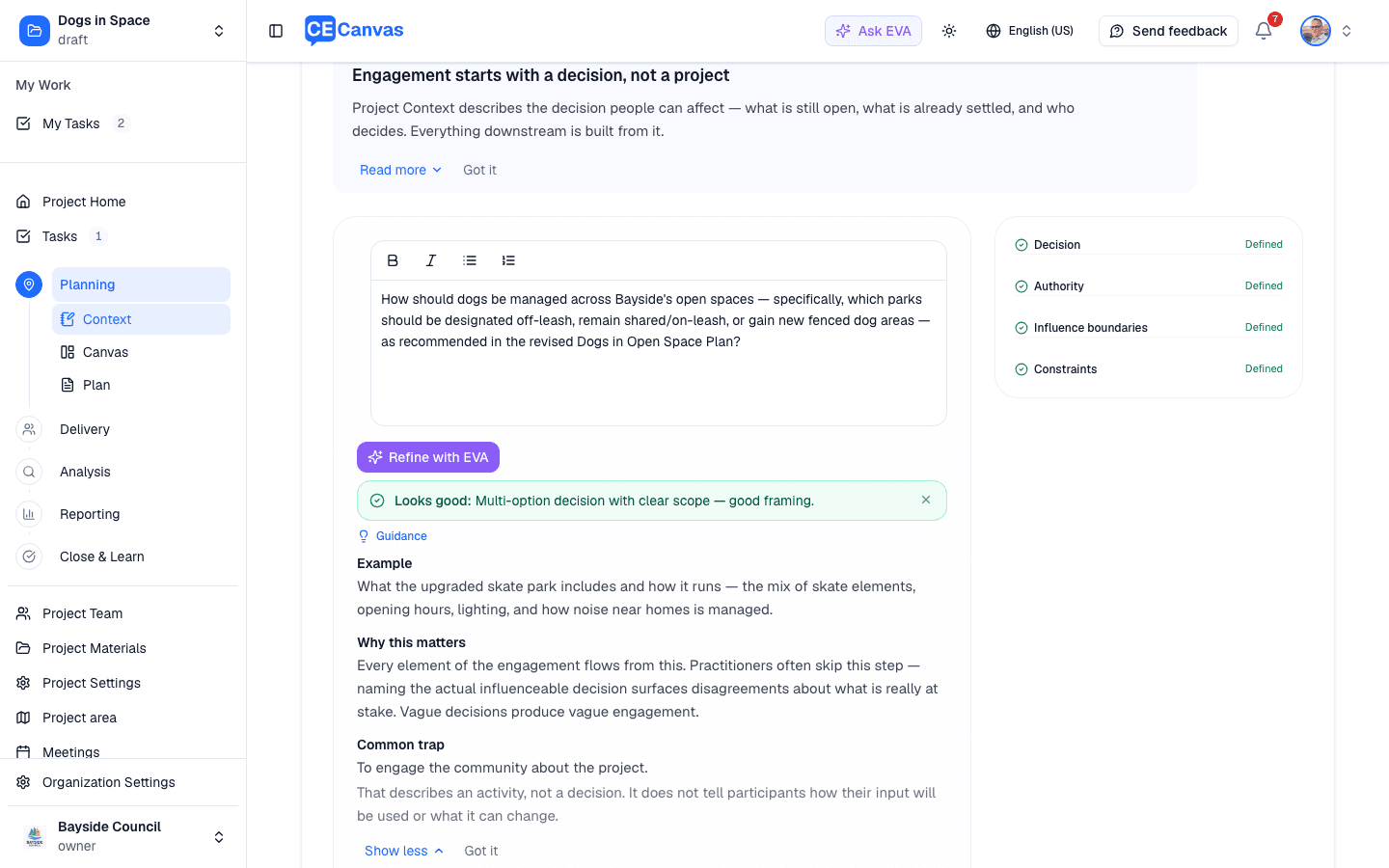
In guided setup, use Bold, Italic, Bullet List, and Numbered List to format longer answers. Put separate constraints or considerations on separate lines. Formatting is retained when you save, reopen, review earlier answers, and export to PDF or Word.
EVA follows your organisation’s language setting for English spelling and prose dates: for example, September 7, 2026 for US English and 7 September 2026 for UK/Australian English. Your personal language is used when the organisation has no setting or you work in another language. Defined source names and terminology retain their original wording.
When the context is in good shape, the completion card offers an Export menu — download the Project Context as a branded PDF or Word document to share outside CE Canvas.
Recommended workflow
- Upload project materials first if documents exist — project briefs, council reports, prior engagement findings, policies, stakeholder research. Go to Project Materials in the sidebar, or use the banner’s Upload materials. EVA processes each document in the background.
- Extract context with EVA — EVA reads the processed materials and drafts each context field with sources attached. You review, edit, and confirm; you’re editing rather than writing from scratch.
- Confirm field by field — guided setup steps through each field. Accept the draft, edit it, write your own, or skip and return later. If you’ve asked EVA for a draft on the current field, apply or discard it before moving on — Save and next waits until you decide.
- Continue to the Canvas once the foundations hold — the brief doesn’t need to be complete, but the decision space and what’s-open/what’s-fixed fields should be honest before you design anything.
Practitioner’s rule: if you can’t write one sentence for “what is genuinely open to community influence”, you are not ready to choose engagement methods. That sentence is the anchor for everything in the Canvas.
Re-entering and maintaining context
Context is not a form you fill once. Return to it when:
- A decision is made mid-project that changes what’s open to influence — update the field and tell the community if the change affects what they were told
- New materials arrive — upload them and re-run extraction; EVA updates its suggestions
- The project’s nature changes — use Change on the classification (an engagement project that loses its decision space should become a communications project, honestly)
Good practice
- Upload materials before drafting — EVA’s extraction with sources beats memory-based entry, and every claim stays traceable
- Write the fixed and non-negotiable field as if the community will read it — one day they might
- Keep timing anchors current; the Delivery and milestone tracking depend on them
- Revisit context at every project phase change
Next steps
- Engagement Canvas — turn the decision frame into an engagement strategy
- Engagement Planning — the Planning hub showing all three planning surfaces
- Responsible Use of AI — how EVA’s drafting and extraction work