Project Settings
Project Settings lets you update the core details of a project — its title, description, status, and Playbook. Slug and project code live under Advanced settings. Access it from Project Settings in the project sidebar.
Editing project details
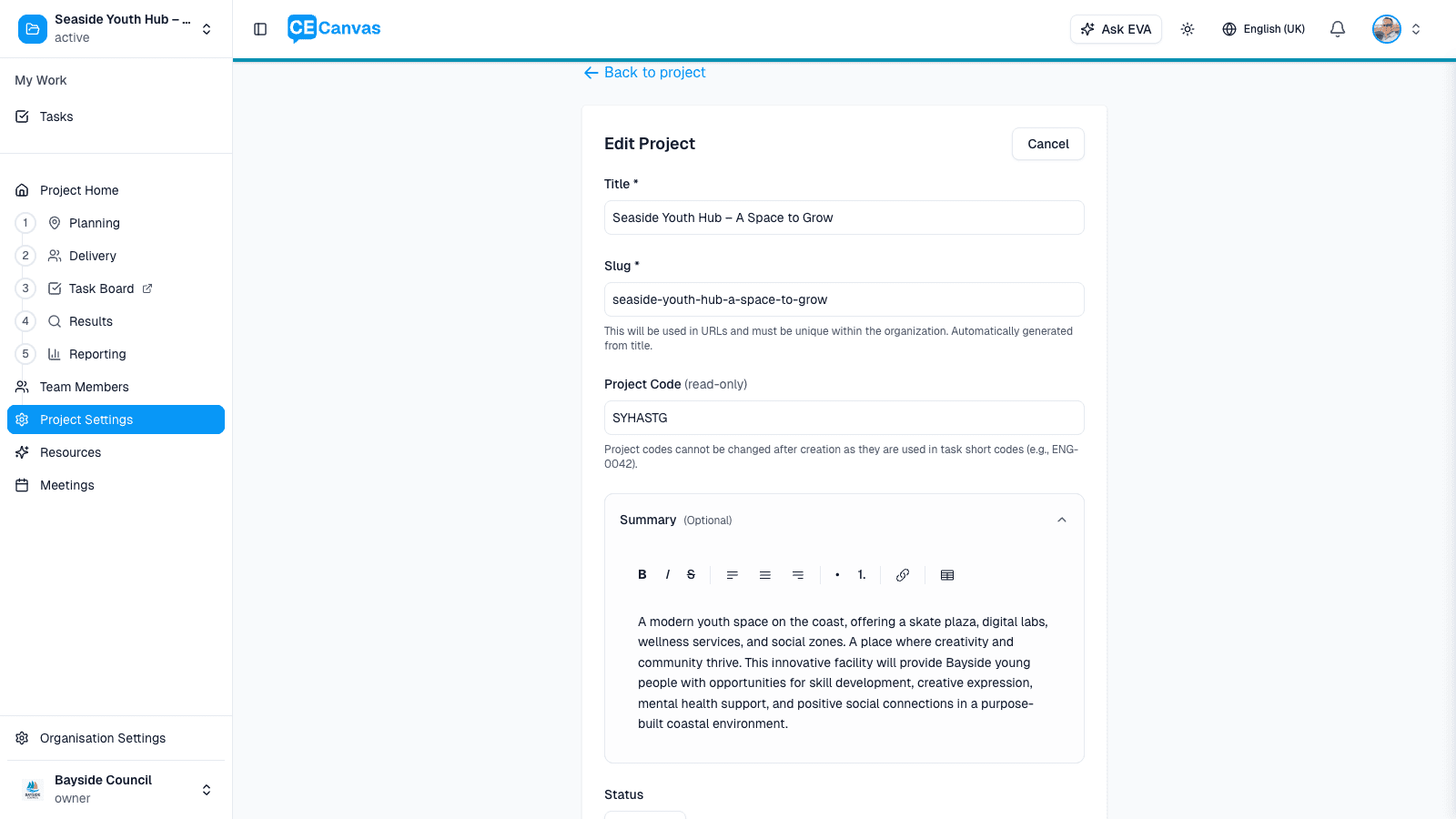
The Edit Project form contains:
| Field | Notes |
|---|---|
| Title | Required. 5–100 characters. Updating the title does not automatically update the slug. |
| Description | Optional rich text field — bold, italic, lists, and links supported. Up to 2000 characters. |
| Status | Draft, Active, Completed, or Archived. Draft projects are only visible to team members. |
| Playbook | Optional. The set of phases, milestones, tasks, and suggested activities this project draws on. |
| Feature Image | Optional project image used on cards and Project Home. |
Advanced settings — expand this collapsible section to edit the Slug (project URL, unique within the organisation) and view the Project Code (the task short-code prefix, read-only after creation).
Danger Zone — at the bottom of the form, archive or delete the project.
Changes are saved when you submit the form. Use ← Back to project to exit without saving.
Project status
| Status | What it means |
|---|---|
| Draft | Project is being set up. Only visible to team members. |
| Active | Engagement is underway. Visible to the project team. |
| Completed | Engagement is finished. Project remains visible but no longer active. |
| Archived | Project is hidden from the default project list. |
Project code
The project code is a 2–8 character uppercase identifier auto-generated from the project title when the project is created (e.g., a project titled Seaside Youth Hub gets SYHASTG). It prefixes every task short code in the project.
Project codes cannot be changed after creation because all existing task short codes depend on it.
Playbook project type
The selected Playbook project type shapes the activities and tasks suggested during setup. To change the Playbook or its project type, use Review / Change on the Playbook section of Project Home. The project’s IAP2 participation level and promise are set separately in the Engagement Canvas under Level & Promise.
The engagement-vs-communications project classification is separate — it lives on the Project Definition card in Project Context.
Next steps
- Engagement Playbooks — set or update the Playbook and its project type
- Organisation Settings — manage organisation-level configuration
- Roles and Permissions — understand who can edit project settings