Engagement Playbooks
A Playbook is your organisation’s engagement practice, encoded: applying one generates the delivery phases, milestones, tasks, and suggested activities appropriate to a type of project. A new project gets a proven operational skeleton in minutes — which your team then makes specific.
If you skip this: every project rebuilds the same structure from scratch, and quality depends on who happens to be running it. Playbooks are how good practice stops being tribal knowledge.
Applying a Playbook
On Project Home, the Playbook section shows what this project is using — pick one when starting out, or Review / Change it later. The card names the project type in use and whether it has been applied.
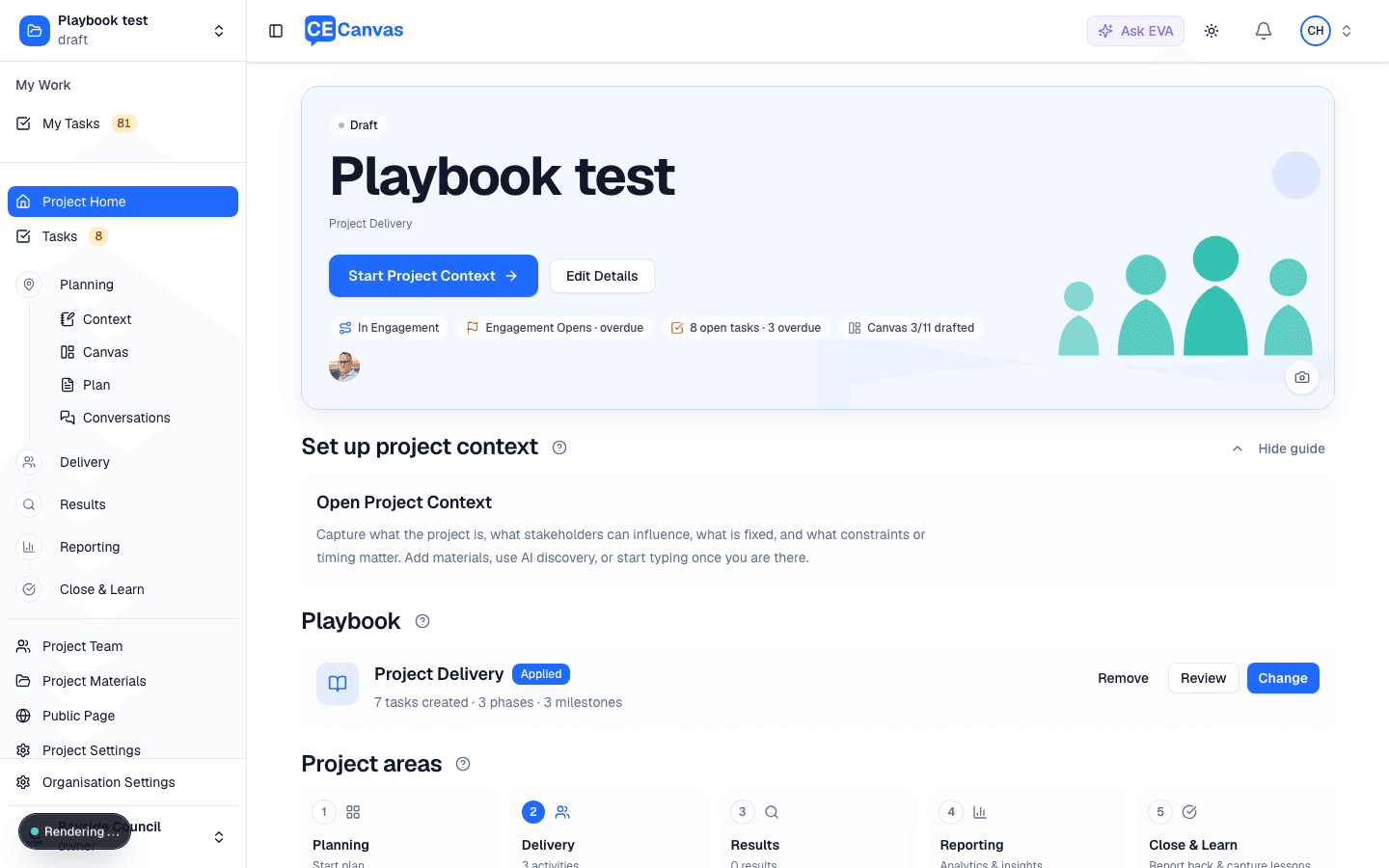
Setup has two steps.
Step 1 — Configure
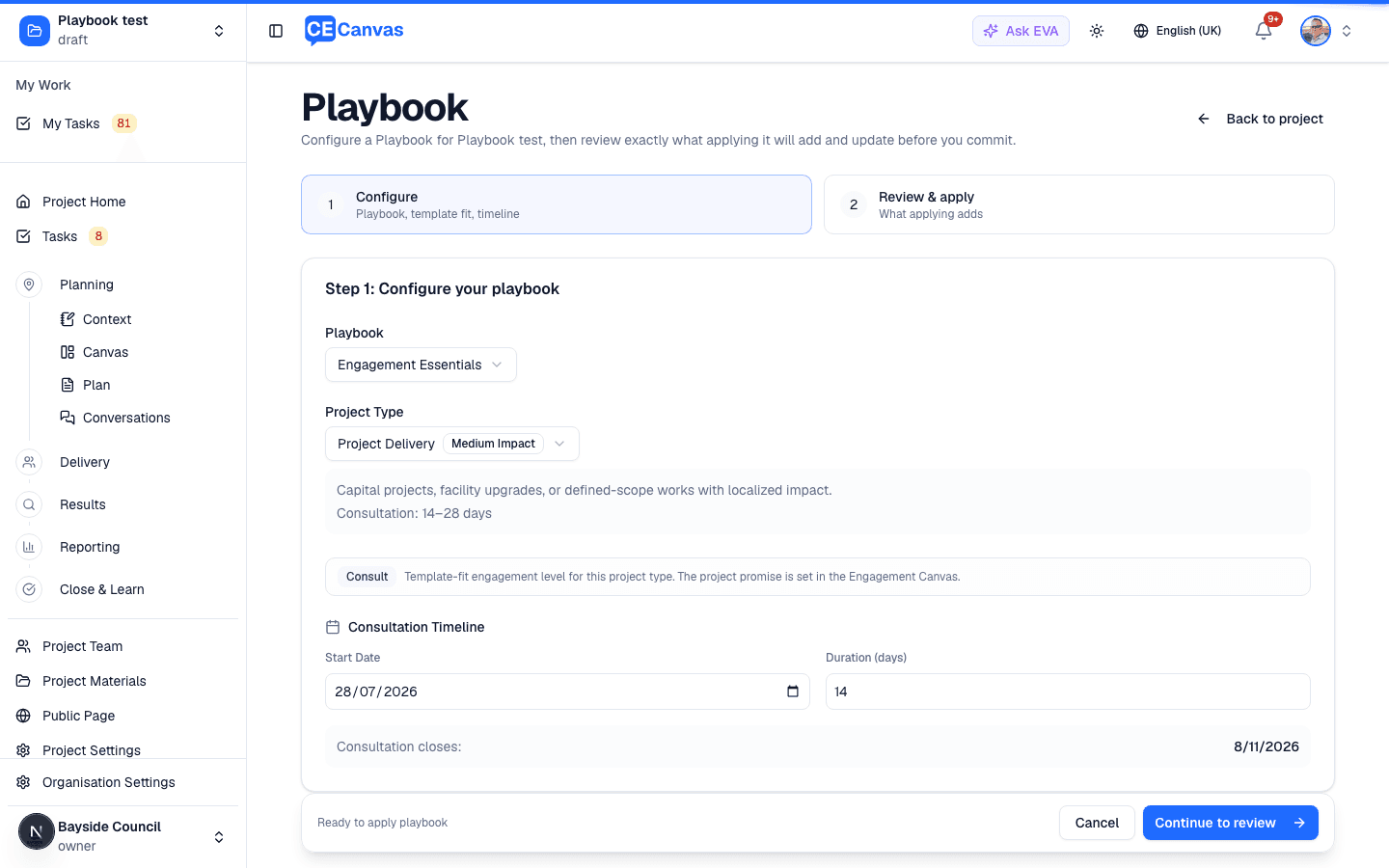
Choose the Playbook and the project type within it — the type is what tunes the suggestions, and it carries its own typical consultation window. Then set a consultation start date and duration, so the generated tasks can be scheduled against real milestones.
Re-opening setup on a project that already has a Playbook applied starts from the project’s own dates, not the template defaults — so reviewing the configuration never quietly reschedules anything.
Each project type has its own suggested activities and tasks. The project’s actual IAP2 participation level and promise are set in the Engagement Canvas, under Level & Promise.
Step 2 — Review & apply
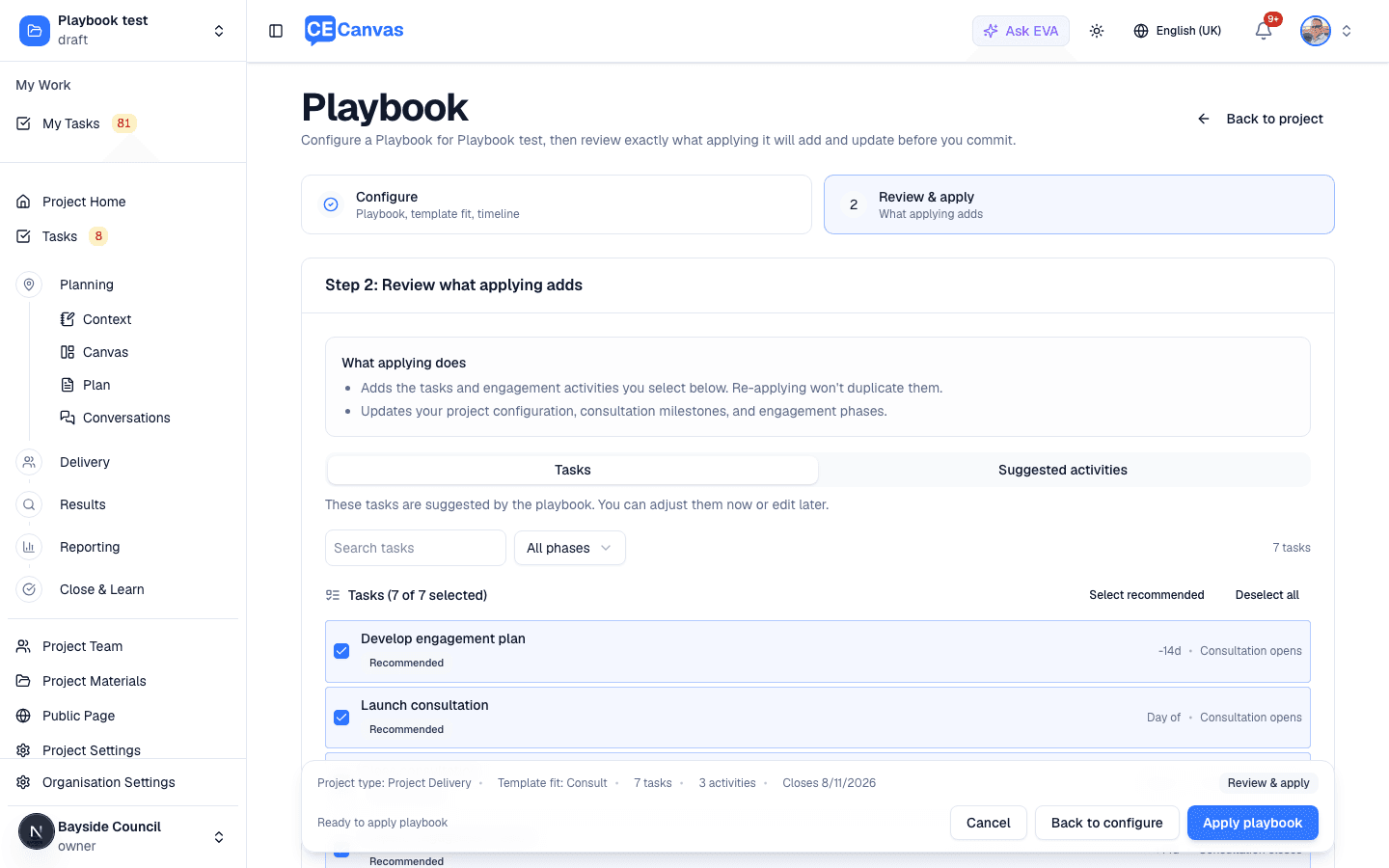
Nothing is created until you press Apply playbook. Before that, review it across two tabs:
- Tasks — every task the Playbook proposes, each timed relative to a milestone (-14d · Consultation opens). Recommended tasks are pre-selected; deselect what doesn’t apply.
- Suggested activities — the engagement activities this type and level suggest.
A summary bar keeps the consequences in view: project type, level, task count, activity count, and when consultation closes. Re-applying doesn’t duplicate what’s already there.
Once applied: tasks land in Tasks; three milestones (Engagement Opens, Engagement Closes, and Decision Date) and the phases appear in Delivery and the Timeline; and the activities you selected are added to the Engagement Canvas, scheduled across the consultation window. The Engagement phase takes the consultation window as its period, so the plan reads with real dates from the first minute.
Available Playbooks
A starter Playbook, Engagement Essentials, ships as a general-purpose framework suitable for most community engagement projects. Organisations maintain their own Playbooks in Organisation Settings → Playbook: each project type’s Details tab lists its engagement activities, its task templates (grouped by phase, each timed against a milestone), and its phases — add or rename phases right there — while the Timeline tab previews everything the Playbook adds on a relative timeline.
Custom Playbooks — sector-specific workflows, compliance frameworks, or your organisation’s signature methodology can be encoded as custom Playbooks. Contact CE Canvas to discuss.
After applying
- Tasks are scheduled relative to your milestones, so moving a milestone on the Timeline moves the work that hangs off it
- Review the generated set within the first week: delete what doesn’t apply, add what’s missing, assign owners
- Re-open setup from Review on Project Home to check or change the configuration
- Re-applying with new dates re-schedules the generated tasks to match the moved milestones — except tasks whose dates you’ve edited yourself, which keep your dates. Nothing is ever duplicated.
Removing a Playbook
Changed your mind, or applied to the wrong project? Remove on the Playbook card takes out what the Playbook added — and tells you exactly what that means before it happens.
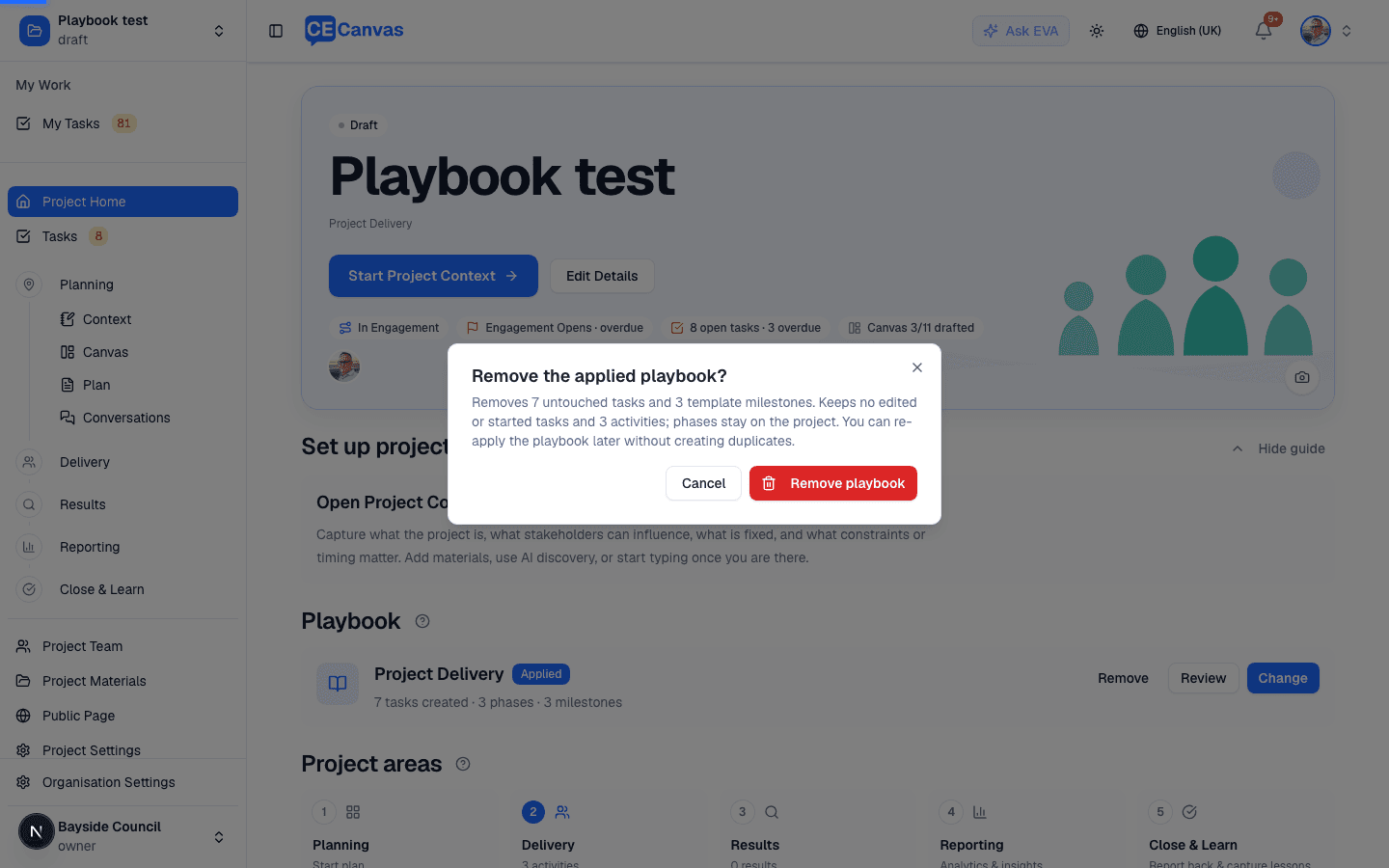
Removal deletes the untouched generated tasks and the three template milestones, in one atomic step. Everything you’ve invested in stays:
- tasks you’ve edited, started, or completed
- the project’s phases (and anything linked to them)
- the activities on the Canvas and in Delivery
- any milestones you added yourself
You can re-apply the Playbook later without creating duplicates.
Selecting No Playbook in Project Settings asks the same question — remove playbook items, or unlink only (keep everything, just detach the Playbook association).
Next steps
- Delivery — where the generated phases and activities are prepared
- Tasks — triage and assign the generated tasks
- Project Team — add the people the work belongs to